How to reduce MCP token usage: 6 proven tactics


The core conclusion first: for browser MCP servers, trimming tool definitions often moves less than trimming page responses, because snapshots can dwarf schemas. The savings that matter may come from changing the execution model: one published Playwright comparison reported roughly 27K versus 114K tokens for its CLI and MCP setups, while out-of-process scripts can keep selected page data out of the model context.
That out-of-process route is where the savings come from. In our published benchmark, the documented heredoc pattern finished the tested browser tasks in 44% fewer execution rounds at 21.6% lower cost than command-at-a-time execution.
Here's a number that reframes the problem: a single page snapshot from Playwright MCP measured ~12,000 tokens for a dashboard, and 114K for one Salesforce page. The entire tool-schema overhead of that same server was reported at ~4,200 tokens. Schema optimization can still help fixed costs, but it does not remove per-step page payloads.
So this list is ordered honestly: two tactics for the fixed costs, two for response payloads, and the two that actually change the curve. Each comes with numbers and the situations where it applies.
Where does MCP token usage actually come from?
Three buckets, and knowing which one dominates your setup decides which tactic pays.
Fixed costs: every registered server loads its tool schemas into context at session start, used or not. Speakeasy's engineering team measured input schemas at 60-80% of total token usage for static toolsets, and that's before any work happens.
Per-step costs: every tool response lands in context. For search or database MCPs that's result payloads; for browser MCPs it's page snapshots, which scale with page complexity you don't control.
Accumulation: conversations keep every past response. A measured Playwright MCP session carried 60-90K tokens of mostly stale snapshots by step 12-15, and started referencing elements that no longer existed.
Diagnose first, then pick your tactic.
Tactic 1: Register fewer tools
How: audit your MCP config and remove servers you're not using this week; for servers with capability flags, load only the groups you need (Playwright MCP's --caps flag gates vision, pdf, and devtools tools behind opt-in).
Numbers: Playwright MCP alone was reported at ~4,200 tokens of schemas across 26+ tools; a multi-server setup can multiply fixed overhead. Removing idle servers can save context, but verify that no required workflow or safety check disappears.
Applies when: your session starts with tools you do not need. It is usually low-risk, but keep a documented restore path and re-check required workflows after changing the config.
Tactic 2: Slim the schemas (or load them lazily)
How: for servers you build, shorten descriptions, drop redundant enum listings, and flatten nested parameter objects. The bigger version is dynamic toolsets: expose three meta-tools (search_tools, describe_tools, execute_tool) so full schemas load only for tools the model actually plans to use.
Numbers: Speakeasy benchmarked the dynamic approach on toolsets of 40 to 400 tools and reported up to 160x token reduction, with input tokens down 96.7% on simple tasks and 91.2% on complex ones. Treat the figures as study-specific: the same benchmark reported 2–3x more tool calls and roughly 50% slower runs.
Applies when: you run large toolsets (dozens of servers or hundreds of API operations). If your problem is one browser server's snapshots, this tactic barely moves the needle.
Tactic 3: Filter what responses return
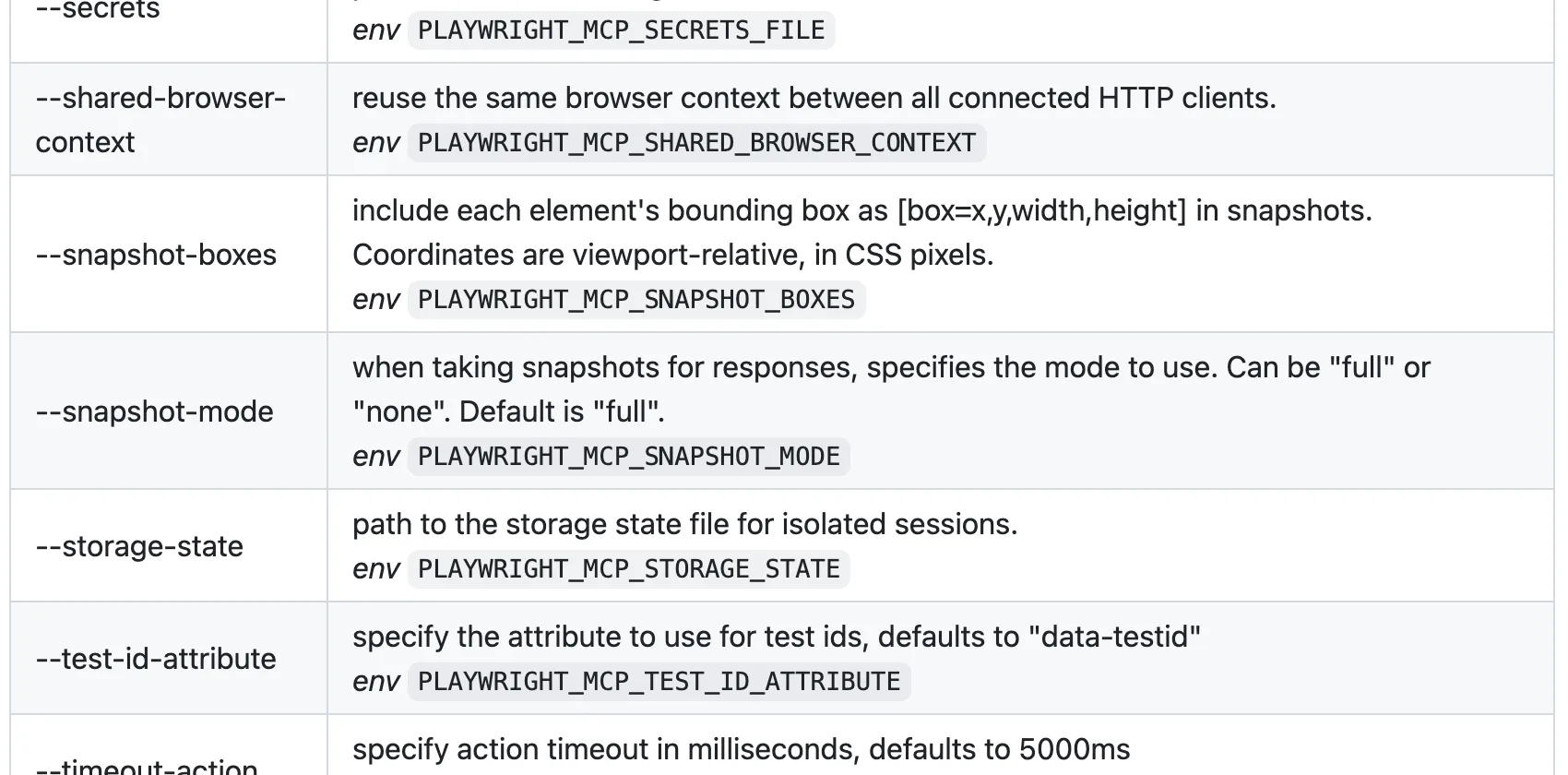
How: use the response-shaping options servers already ship. In Playwright MCP: the filename parameter writes console logs, network dumps, and snapshots to disk instead of into context (the agent reads back only what it needs); browser_network_requests excludes static assets by default and takes a filter regexp; --image-responses omit drops image payloads; --console-level caps log verbosity.
Numbers: in a large-payload session, a network dump can range from a short numbered summary to many thousands of tokens when full headers and bodies are returned inline. The disk-then-read-selectively pattern is also why the CLI route in tactic 5 can stay relatively flat across long workflows.
Applies when: your transcripts show big response payloads you didn't ask for. Ten minutes of flags, no workflow change.
Tactic 4: Trim browser snapshots
How: stop attaching the full accessibility tree to every response. Playwright MCP's --snapshot-mode none makes snapshots explicit-only; browser_find locates a single element without capturing the tree (cheaper than a full snapshot per the docs); --output-max-size caps tool response size at a hard ceiling and evicts oversized output to disk post-response (added in v0.0.76); and --mobile requests lighter pages.
Numbers: cited measurements reported roughly 3,800 tokens for a login form and 12,000 for a dashboard per action; actual output varies by page and configuration. Scoped finds and explicit snapshots change the cost from every step to only the steps that need orientation, with a 3–5x reduction reported in some multi-step tests.
We ran this ourselves instead of taking the industry figures on faith: a real Chrome DevTools MCP session, one take_snapshot call, on a single moderately simple page.
import asyncio
from mcp import ClientSession, StdioServerParameters
from mcp.client.stdio import stdio_client

async def main():
    params = StdioServerParameters(
        command="npx",
        args=["--yes", "chrome-devtools-mcp@latest", "--headless", "--isolated"],
    )
    async with stdio_client(params) as (read, write):
        async with ClientSession(read, write) as session:
            await session.initialize()
            nav = await session.call_tool("navigate_page", {"url": "https://news.ycombinator.com/"})
            print("navigate_page chars:", len("".join(c.text for c in nav.content if hasattr(c, "text"))))

            snap = await session.call_tool("take_snapshot", {})
            snap_text = "".join(c.text for c in snap.content if hasattr(c, "text"))
            print("take_snapshot chars:", len(snap_text))
            print(snap_text[:700])

# Real output
navigate_page chars: 123
take_snapshot chars: 38285
## Latest page snapshot
uid=1_0 RootWebArea "Hacker News" url="https://news.ycombinator.com/"
  uid=1_1 link url="https://news.ycombinator.com/"
  uid=1_2 link "Hacker News" url="https://news.ycombinator.com/news"
    uid=1_3 StaticText "Hacker News"
  uid=1_4 link "new" url="https://news.ycombinator.com/newest"
    uid=1_5 StaticText "new"
  uid=1_6 StaticText " | "
  uid=1_7 link "past" url="https://news.ycombinator.com/front"
    uid=1_8 StaticText "past"
  uid=1_9 StaticText " | "
  uid=1_10 link "comments" url="https://news.ycombinator.com/newcomments"
    uid=1_11 StaticText "comments"
  uid=1_12 StaticText " | "
  uid=1_13 link "ask" url="https://news.ycombinator.com/ask"
...
38,285 characters, roughly 9–10K tokens, for one snapshot of a page simpler than the login form and dashboard the figures above describe. It is a useful reference point, but page size varies and the cited figures do not include a reproducible trace for every site.
Applies when: you're staying on a browser MCP and your pain is per-step cost. It's the strongest pure-config tactic, and its ceiling is structural: page state still travels through context, so long tasks still accumulate.
Tactic 5: Switch to a CLI route
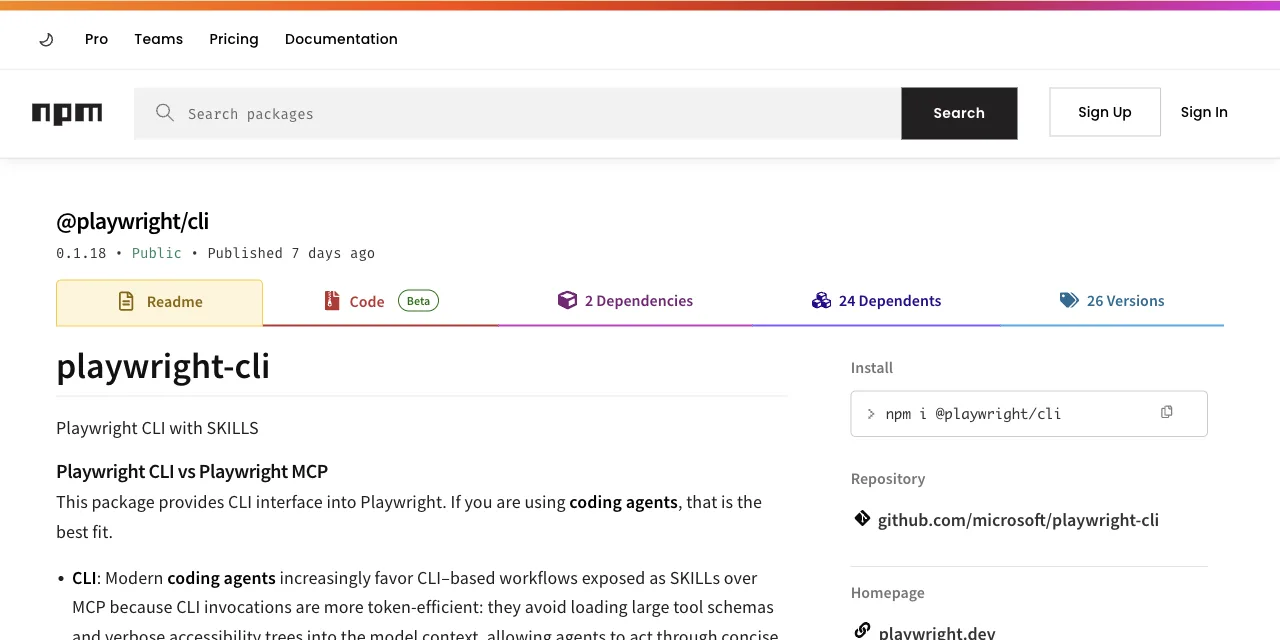
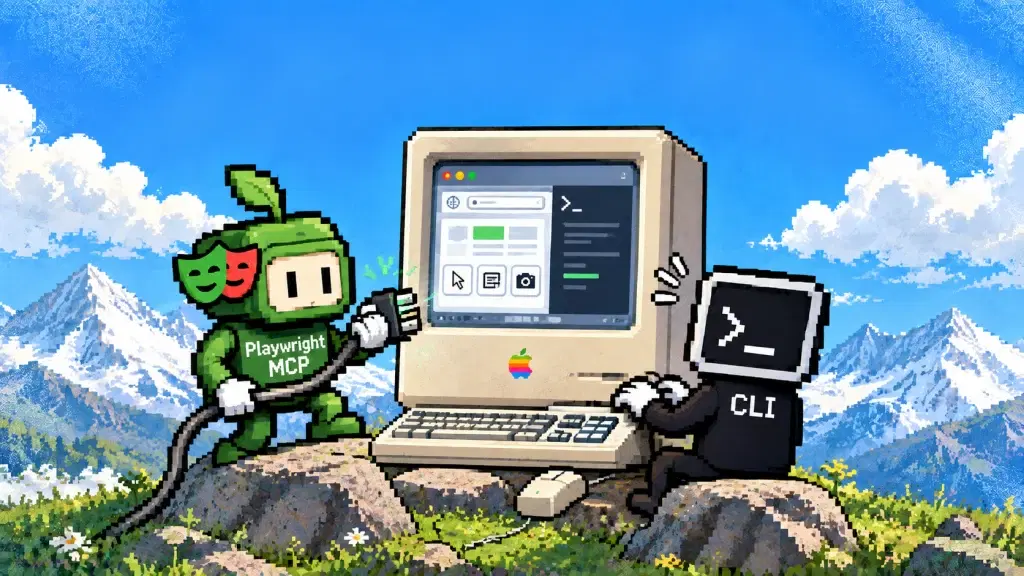
How: replace tool calls with shell commands. Microsoft's official Playwright CLI writes snapshots to YAML on disk and returns file paths; the agent reads selectively. Even the Playwright MCP README now points coding agents this way for token efficiency.
Numbers: one published comparison reported 114K tokens per test over MCP versus 27K over the CLI (about 4x) for its task and configuration. In that comparison, schema overhead fell from ~4,200 tokens to ~68 (one --help read). An independent 8-step test measured the same shape: ~89K vs ~24K.
Applies when: your agent can write code and run shell commands (Claude Code, Cursor, Codex). That's the gate. We measured this route in detail in the Playwright MCP vs CLI comparison.
Tactic 6: Move execution out of process
How: instead of one command per action, the agent writes one short program describing the whole workflow and pipes it into a local runtime as a heredoc. Loops, waits, and extraction run outside the model; a workflow can return only the selected final fields, keeping most page data out of context.
Numbers: in our published benchmark of this pattern, heredoc execution finished the same browser tasks in 44% fewer execution rounds, with 35.5% fewer tool calls, at 21.6% lower cost than command-at-a-time execution.
Applies when: you run browser tasks daily and the task is describable as steps. This is where ego(lite) changes the token math: the page reaches the agent as a Snapshot, an accessibility tree with stable @N refs, rather than raw HTML, and the agent can run several actions in one page-side JavaScript call instead of one tool call at a time, so the saving is counted over the whole task, not a single step.
The heredoc numbers above measure the execution pattern in isolation. The whole tool has a separate measurement: across the five tools on Real-World Bench, a 31-task benchmark against live production sites with the same model and judge, ego(lite) finished 93.5% of 31 tasks perfectly at $1.75 per completed task, the best completion rate and lowest cost per completed task of the five, and ran 47% to 63% faster than the other four tools measured; the runs, rubrics, and dataset are public in the ego-browser-benchmark-framework repo.
Here's what that actually looks like: a recorded ego-browser session against the same Hacker News page used in the take_snapshot example above. JavaScript goes in as a heredoc, only the fields that mattered come back.
ego-browser nodejs <<'EOF'
const task = await egoBrowser.newTaskSpace('evidence-egobrowser-hn')
console.log({ taskSpaceId: task.id })

await task.page.goto('https://news.ycombinator.com/', { waitUntil: 'load', timeout: 20000 })
const title = await task.page.title()
const topStory = await task.page.locator('.athing .titleline > a').first().innerText()
const points = await task.page.locator('.subtext .score').first().innerText().catch(() => null)
console.log({ title, url: task.page.url(), topStory, points })
EOF

# Real output
{
  "taskSpaceId": 13
}
{
  "title": "Hacker News",
  "url": "https://news.ycombinator.com/",
  "topStory": "Qwen 3.8 27B",
  "points": "412 points"
}
Roughly 150 characters back to the agent, versus 38,285 for the same page's accessibility tree in the take_snapshot example above. That gap, not the schema-trimming tactics earlier in this list, is what actually moves the token bill for browser work.
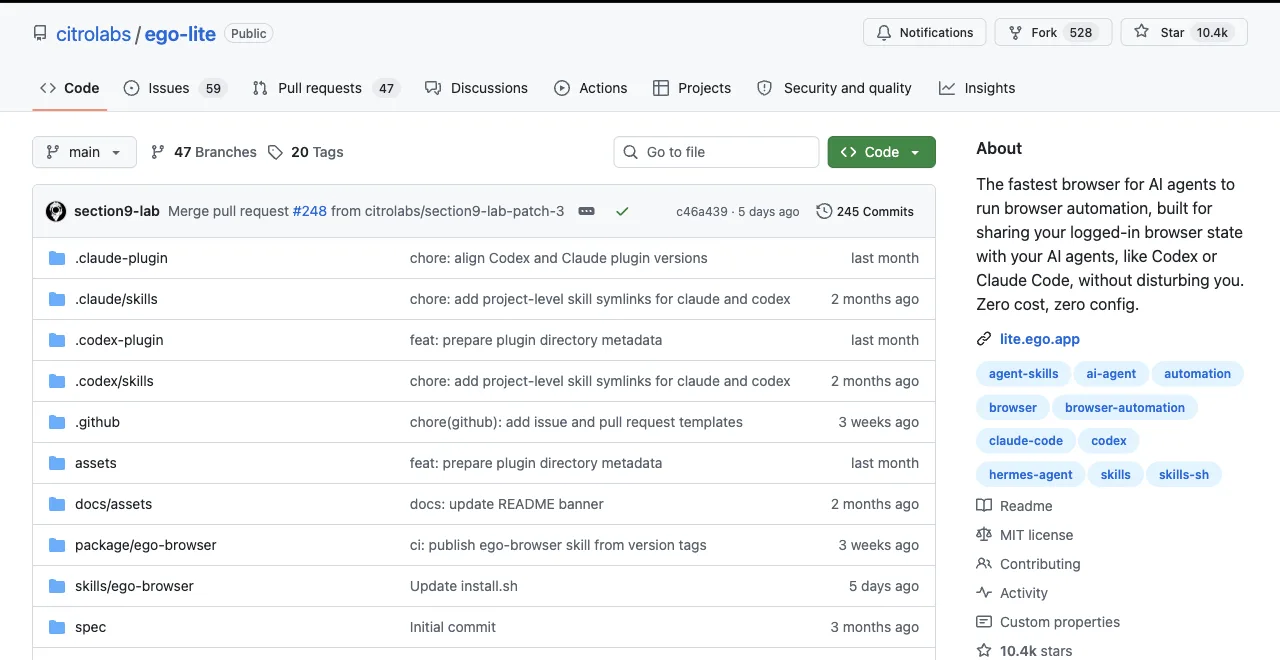
The code above runs against the open ego-lite repo, not a black box; read the ego-browser skill source yourself if you want to see what the heredoc runtime is actually doing before you pipe a task into it.
GitHubReduce HTML and web-content tokens
The fastest way to reduce HTML tokens is to extract only the fields the task needs before content enters the model context. Use a Readability-style article extractor, a selector scoped to the relevant container, or a typed response schema instead of returning scripts, styles, navigation, and repeated accessibility nodes.
- Return title, URL, timestamp, and the requested fields; cap list rows, text length, DOM depth, and screenshot dimensions.
- Prefer locator results or a focused subtree over a full-page snapshot, and paginate large tables.
- Keep the original URL and a raw-response pointer or content hash so the compressed result remains auditable.
Compression is a context optimization, not a guarantee of semantic completeness or security. Preserve labels, links, structured data, and nearby evidence that affect the decision; fall back to the raw page when extraction confidence is low.
Manage long conversations and agent memory
Long-running agents should keep durable state outside the chat transcript. Summarize completed work into a short checkpoint, store large artifacts on disk, and reload only the facts needed for the next action instead of replaying every tool response.
- Use a rolling summary with goals, decisions, current URL, authenticated profile, pending actions, and known failure modes.
- Store raw HTML, screenshots, traces, and logs as artifacts referenced by path or hash; do not paste them back into every turn.
- Start a fresh session at a checkpoint when the transcript becomes mostly stale history, and verify the checkpoint before mutating data.
Always-on operation still needs a budget. Track tokens per hour and per completed task, set retention limits for memory, and make the agent explain which stored evidence it loaded.
Optimize tool schemas and MCP configuration
Tool schemas are fixed overhead, so expose fewer, clearer operations. Remove unused servers, gate optional capabilities, shorten redundant descriptions, and use lazy discovery or a semantic router when a server has dozens or hundreds of tools.
- Measure schema tokens at session start and after each configuration change; do not assume a smaller JSON file is safer if it hides required constraints.
- Keep parameter names and enum values explicit enough for reliable calls; over-compression can increase retries and cost more than it saves.
- Load specialized browser, database, or GitHub tools only for the task that needs them, then disable them for the next session.
Dynamic toolsets can cut schema-heavy context dramatically, but they add discovery calls and latency. Evaluate total tokens, tool calls, success rate, and wall-clock time together.
Reduce token waste in coding agents
Coding agents waste tokens when they reread unchanged files, search the entire repository for a local question, or stream verbose command output. Give the agent a narrow file scope and ask tools to return summaries, counts, and failing lines first.
- Use ripgrep with an explicit path and pattern, then open a small line range around each match instead of dumping whole files.
- Redirect build and test logs to a file; return the exit code plus the first actionable errors, with a link to the full artifact.
- After an edit, run the smallest relevant test before a full suite, and record what has already been verified so the agent does not repeat it.
- Use scripts for deterministic formatting, migrations, and repetitive edits; reserve model turns for choices and review.
The goal is fewer uninformative tokens, not fewer checks. A concise failure report that leads to the correct fix is cheaper than a short but ambiguous response that triggers several retries.
Prevent runaway costs and tool-call loops
Put hard limits around every autonomous loop: maximum actions, elapsed time, input and output tokens, retries, and spend. Stop with a diagnostic record when a budget is reached; never let an agent silently continue until an API allowance or margin is exhausted.
- Require progress checks after navigation, extraction, and writes; abort when the URL, state, or returned data repeats without change.
- Use exponential backoff only for transient failures, with a maximum retry count. Treat 401/403, consent, and CAPTCHA pages as states requiring review, not retry fuel.
- Set provider-side spend alerts and per-run quotas, and log model, prompt, completion, tool, browser, and recovery costs separately.
- Make writes idempotent with an operation key or checkpoint so a retry cannot duplicate an order, message, or record.
For ticket triage or scheduled jobs, sample low-risk items and escalate uncertain cases to a human. Cost controls should fail closed, while preserving enough evidence to diagnose why the loop stopped.
Use structured data and efficient reports
Structured data saves tokens when it matches the question. Send a compact schema with only required fields, stable IDs, units, and null handling instead of verbose JSON wrappers or repeated natural-language labels.
{ "id": "sku-42", "price": 19.99, "currency": "USD", "checkedAt": "2026-08-30T00:00:00Z" }- Normalize dates, currencies, and numbers before the model compares them; keep provenance per record.
- Generate HTML or PDF reports from a template and pass aggregated facts to the model, not the entire rendered document.
- Validate required fields, row counts, ranges, and duplicate IDs before writing the report or sending it downstream.
A compact report is trustworthy only when its source and validation status are visible. Keep a link to the raw dataset and a schema version so readers can reproduce or challenge the summary.
Which tactic should you start with?
Ranked by how often you run browser tasks, because frequency decides whether config tweaks are enough.
| Your usage | Start with | Expected saving |
|---|---|---|
| Occasional MCP use, many servers configured | Tactics 1 + 3 (prune servers, filter responses) | Potentially thousands of tokens per session, with little workflow change |
| Big custom toolsets (100+ operations) | Tactic 2 (dynamic toolsets) | Up to 160x in the cited schema-dominated study |
| Browser MCP weekly, staying on MCP | Tactic 4 (snapshot trimming) | 3–5x in some cited multi-step tests |
| Browser tasks daily with a coding agent | Tactics 5 + 6 (CLI, then out-of-process) | About 4x in one CLI comparison; out-of-process can keep selected page data out of context |
One honest closing note: tactics 1-4 optimize the architecture you have, tactics 5-6 change it. If you find yourself applying all four config tactics and still watching context compaction, that's the signal you're past what flags can fix.
A word on the token-optimizer projects you'll find on GitHub: wrappers that compress or filter MCP responses before they reach the model. They're real savings on the margin, and they inherit the structural limit of tactics 3-4: response data still flows through context on every step, just less of it. Useful as a patch, not a plan.
And if someone tells you tool definitions are the whole problem: true for a 400-operation API gateway, false for a browser server whose single dashboard snapshot outweighs its entire schema block three to one. Measure your own transcript before picking a tactic; the two-minute check is scrolling one session and noting which payloads repeat.
Download ego(lite) for Mac to try the out-of-process route on a real task, or read the full breakdown of where browser MCP tokens go. The article is free to read; any app, model, network, or proxy usage costs depend on your setup.