Is Playwright MCP good? An honest review (2026)


The core conclusion first: Playwright MCP is worth installing, with conditions. It's best for short sessions on public pages, and wrong for long tasks and logged-in sites, where the token bill (89K-114K per test run in published measurements) and the fresh-profile login wall take over. If the token bill is what stalls you, ego(lite) delivers pages to the agent as a Snapshot, so what it saves is the total across the whole task rather than any single step.
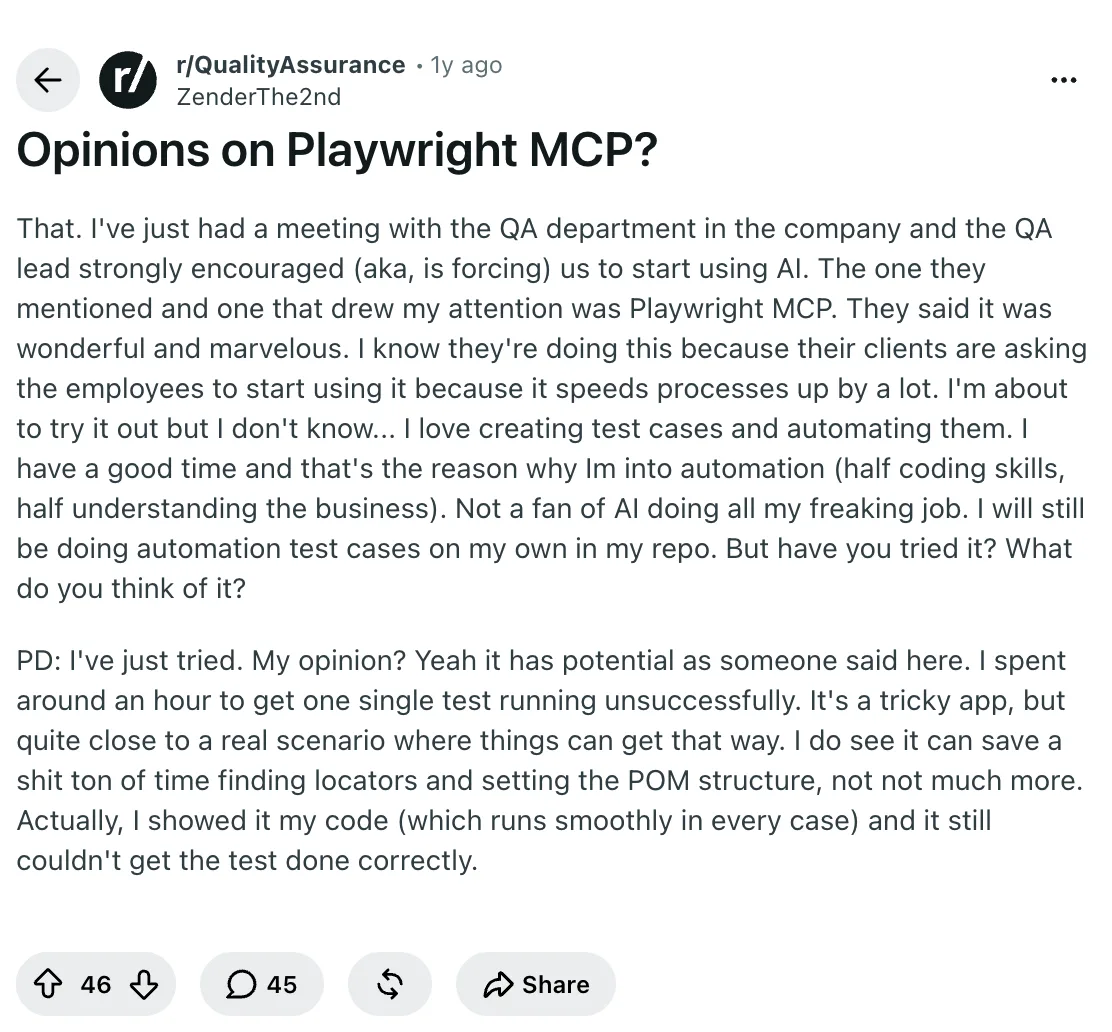
A QA engineer on r/QualityAssurance described being told by their lead that Playwright MCP was "wonderful and marvelous." Then they tried it: an hour on a single test against a tricky app, and it never passed.
The same thread also calls it underrated with "a fuck ton of potential." Both takes are right, which is exactly why the verdict above comes with conditions. Let's take it apart properly.
What is Playwright MCP?
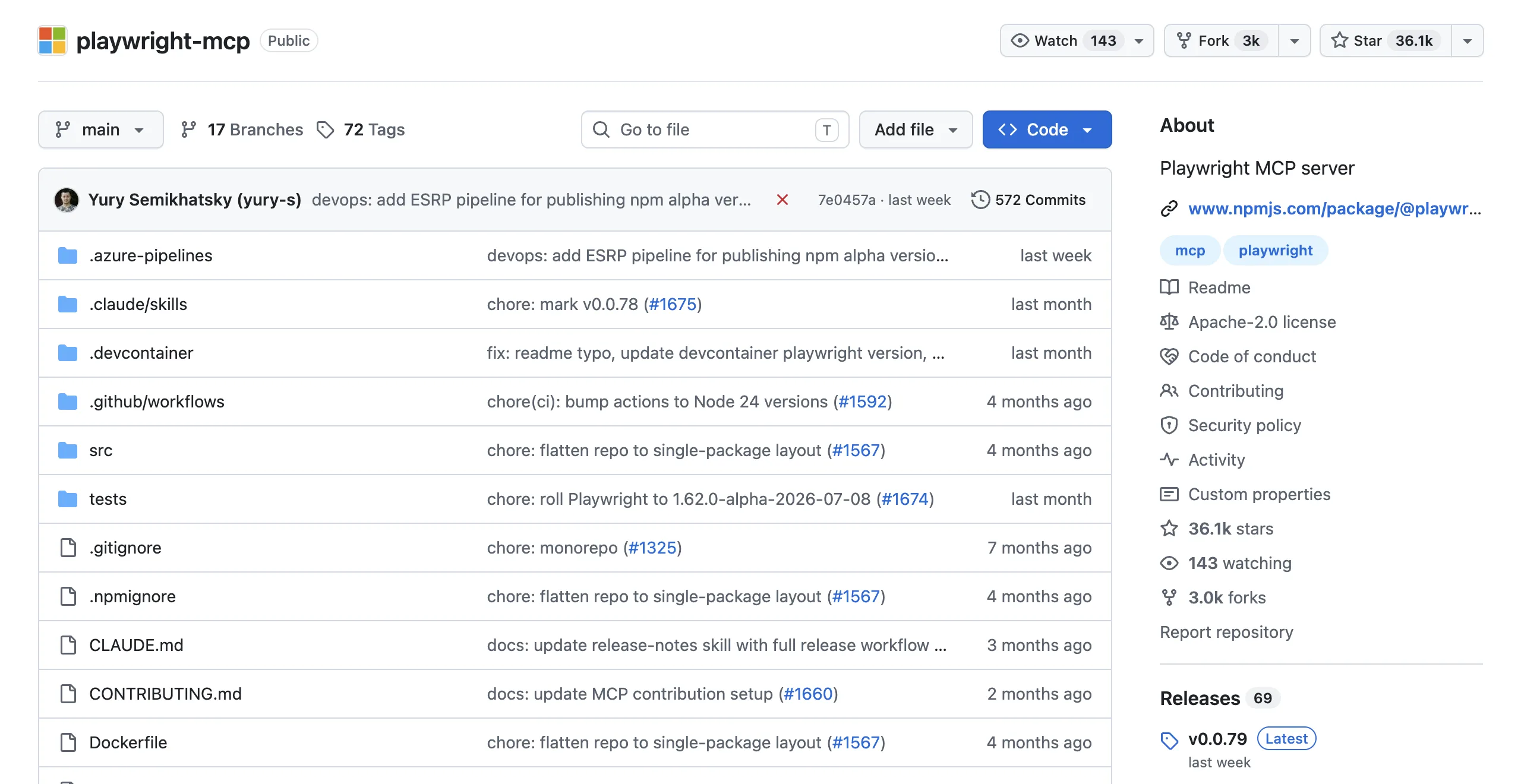
Playwright MCP is an open-source MCP server from Microsoft that snapshots a page's accessibility tree, hands that structured text to an LLM, and executes the model's chosen actions (clicks, typing, navigation) in a real browser.
It's not an AI product itself, and it's not a test framework: it's the plumbing that lets any MCP-capable agent (Claude Code, Cursor, VS Code, Codex) see and touch web pages without vision models. The snapshot approach is the differentiator: elements arrive as text with reference IDs like ref=e5, so the model acts on structure, not pixels.
Setup really is one line. For Claude Code:
claude mcp add playwright npx @playwright/mcp@latestThat accessibility-snapshot design is both the reason it works and the reason it gets expensive. Hold that thought.
What does Playwright MCP do well?
Three strengths keep showing up in real usage reports, not marketing pages.
1. Zero-to-working in minutes. One config line and your agent has two dozen-plus browser tools. No script scaffolding, no framework decisions. For someone who has never automated a browser, this is the shortest path that exists, and it's officially maintained by Microsoft's Playwright team, so it tracks browser changes instead of rotting like most community bridges.
The first-run experience sells it. You type "open our staging site and tell me if the signup form validates emails," and thirty seconds later the agent has opened a browser, filled the form with a bad address, and reported what the error message said. No other setup in this category gets you there that fast.
2. Finding locators and drafting tests. The honest praise from the QA thread: "it can save a shit ton of time finding locators and setting the POM structure." Pointing the agent at a page and asking for a page-object class plus draft tests genuinely works. One commenter turned a 300-line unstructured test class into a 55-line one this way.
3. Deterministic, auditable actions. Because the model targets element refs instead of guessing pixel coordinates, actions are reproducible, and every step is a logged tool call you can review. GitHub Copilot's coding agent uses it to verify its own UI changes, which is a real production endorsement.
Where does Playwright MCP fall down?
Three failure modes, each with receipts.
1. The token bill. Every action returns a fresh page snapshot, and they stack up in context. The r/ClaudeCode field report: one or two tests and the chat gets compacted. Some sites don't load at all because "the snapshot is too big." Issue #889 on the official repo reports 6x token growth between two minor versions for the same task. In a January 2026 three-tool comparison (Cole Medin's public YouTube benchmark), Playwright MCP completed 80% of tasks on the first try against 95% for a CLI-based approach (agent-browser), with the gap traced directly to accessibility-tree searches that fail when the expected element isn't found on the first pass.
The published numbers put a full MCP test run at 89K-114K tokens where a CLI run costs 24K-27K; if tokens are your pain, the ego-browser skill in a real logged-in browser is the escape hatch, and we broke down those measurements in the Playwright MCP vs CLI article.
2. Long tasks lose the plot. By step 12-15 a session can carry 60-90K tokens of stale page state, and the measured failure is telling: the agent referenced a login-page element that no longer existed. Multi-step workflows are precisely where you want an agent, and precisely where this architecture strains.
3. Complex, real-world pages. The QA engineer's hour-long failed test wasn't an exotic app, just a tricky one, "quite close to a real scenario." And the generated code isn't a finished product either: "you will 100% refactor a large portion of it." Treat output as a first draft, not a deliverable. Add the state-leakage caveat from Currents' analysis (cookies and storage persist across calls unless you reset them) and complex flows need real supervision.
Why does Playwright MCP feel flaky, and how do you debug it?
Most flakiness is a state problem, not a random browser problem: the snapshot is stale, navigation has not settled, an animation is still running, or the agent is carrying assumptions from a previous page. Reproduce the failure with a fresh context, record the URL and snapshot, then check the console and network evidence before changing a locator or adding a longer sleep.
Use one bounded retry only for a classified transient, such as a known network race. If the same assertion fails twice, stop and preserve the trace rather than retrying until green. The fix may be an explicit wait for an application signal, a smaller snapshot scope, or a deterministic test fixture—not another arbitrary timeout.
How should an agent handle complex or unknown pages?
Treat the accessibility snapshot as a map, not a complete model of the application. Enterprise SPAs may virtualize rows, hide controls behind menus, or render interactive elements only after a state change. Ask the agent to inspect the DOM around the target, confirm the visible label and role, and take a screenshot when the structured view does not explain what a human can see.
Break an unknown page into small observations: identify the current URL and heading, list the controls relevant to one action, perform that action, and verify the resulting state. For a high-impact workflow, keep a human approval gate before submitting, deleting, or changing production data; no snapshot can infer business intent safely.
Can Playwright MCP keep parallel browser sessions alive?
Playwright MCP can keep a browser process and context across tool calls when its client configuration reuses them, but persistence is not the same as safe isolation. A workflow that launches and closes a fresh context for every step loses login state; several agents sharing one context can leak tabs, cookies, and assumptions into one another.
For parallel work, give each task its own context or Space, label the target and owner, and close it explicitly after artifacts are saved. Playwright remains the better fit when you want code-defined contexts and deterministic CI lifecycle control. When the parallel work is agent-driven rather than CI-driven, ego(lite) is the better fit: Claude Code or Codex can run 100+ browser automation tasks at once, each in its own Space.
What about Cloudflare, CAPTCHAs, and bot protection?
Playwright MCP is not a bot-protection bypass, and no browser tool can promise that a target will not detect automation. Respect robots directives, terms, rate limits, login requirements, and applicable law. Do not use stealth plugins, fingerprint spoofing, CAPTCHA-solving services, or proxy rotation to defeat a challenge.
If a permitted task reaches a Cloudflare or CAPTCHA page, record the URL and visible challenge, pause the agent, and let an authorized person decide whether to complete it or switch to an approved API or data source. A normal user browser may reduce blank-profile friction, but it does not grant permission or remove access controls.
Is a free local MCP server enough for browser research?
A local MCP server removes hosted browser fees and keeps navigation on your machine, but ‘free’ does not mean zero cost: the model still consumes tokens, and you still own updates, credentials, browser processes, and policy review. It is a sensible starting point for short, public research tasks where the snapshot stays small and the source can be checked by a person.
For repeated logged-in workflows, compare total effort rather than the install command. ego(lite) is also free and local, and once you import your Chrome profile the agent works from the sessions you are already signed in to, so the SSO interruptions that slow these runs down become noticeably rarer, though a site can still ask it to sign in again. For deterministic regression, high-volume collection, or server-side uptime, use a committed test framework or an approved API instead.
Who should use Playwright MCP?
The verdict splits cleanly by what you're actually trying to do.
| You are | Verdict | Why |
|---|---|---|
| A QA engineer writing test suites | Yes, as a drafting tool | Great for locators and page objects. Keep your framework for the actual suite; MCP is an execution layer, not a test runner. |
| Scraping or extracting data regularly | Probably not | Long multi-page runs hit the snapshot-accumulation wall, and logged-in sources aren't covered by a fresh profile. |
| A developer who wants the agent to check pages occasionally | Yes, with a budget | Short sessions under ~10 steps are its sweet spot. Watch your context after each run. |
| Running daily browser tasks on your own accounts | No | Wrong shape twice: token cost scales with steps, and login state isn't yours. |
That last row is where ego(lite) sits: a free Chromium browser that saves tokens across the whole task rather than per step, and the browser it drives is already signed in as you.
If you're weighing the escape routes, here's the shape of the choice. All three drive a real browser engine, and the third row is the first two combined.
| Route | What it can do | What it can't do |
|---|---|---|
| Playwright MCP | Works with any MCP client, even ones without shell access; zero-code setup | Can't keep token cost flat on long tasks; no logged-in state out of the box |
| Playwright CLI | Cuts tokens roughly 4x by writing snapshots to disk; composes with shell tools and CI | Can't serve non-coding agents; still launches a fresh profile without your sessions |
| ego(lite) + ego-browser | Runs whole workflows as one script in a real browser that keeps your logins; free | Can't run headless in CI containers; not a test framework with assertions |
There are measured numbers behind that table. Real-World Bench uses the same 31-task suite against live sites through five tools, with the same model (gpt-5.6-sol at max effort) and the same independent judge. One honesty note before the numbers: the measured Playwright entry was playwright-cli, the official CLI route, not the MCP server, so read it as the second row of the table above. playwright-cli finished 71.0% of 31 tasks perfectly at an average $3.42 per task; spreading that spend over only the tasks that finished, that is $3.42 ÷ 71.0% completion = $4.82 per completed task. ego(lite) finished 93.5% across 31 tasks at $1.64 per task, or $1.64 ÷ 93.5% = $1.75 per completed task. Sessions, verdicts, and the harness are public in the ego-browser-benchmark-framework repo.
See the full ego(lite) vs Playwright MCP comparison if that's your situation; otherwise Playwright MCP is a fine place to start.
FAQ: free, safe, good for testing?
Is Playwright MCP free?
Yes. Playwright MCP is open source under the Apache-2.0 license, maintained by Microsoft, and installed free via npm (@playwright/mcp). What isn't free is the token consumption it drives through your LLM subscription or API bill, which is where the real cost lives.
Is Playwright MCP safe?
It runs locally and only exposes declared browser tools, which keeps agent actions auditable. Two edges to respect: the optional browser_run_code_unsafe tool executes arbitrary JavaScript and the docs themselves call it RCE-equivalent, so leave it off for untrusted clients; and browser state (cookies, storage) persists across tool calls unless you reset it, which can leak session context between tasks.
Is Playwright MCP good for testing?
Good for exploring, drafting, and reproducing bugs; wrong for running your regression suite. It has no assertion model, no retries, and no determinism guarantees, so keep scripted Playwright tests in CI and use MCP as the interactive layer in front of them.
Does Playwright MCP work with Cursor and Codex?
Yes. Cursor adds it under Settings, then MCP, then Add new MCP Server with the command npx @playwright/mcp@latest, and Codex takes codex mcp add playwright npx @playwright/mcp@latest. The same standard JSON config block works in VS Code, Windsurf, and most other MCP clients.
What is Playwright MCP used for day to day?
The common real uses in 2026: generating test drafts and page objects, letting a coding agent verify its own UI changes, reproducing flaky behavior on demand, and short exploratory automation on public pages.
So, is Playwright MCP good? For a free tool that took one line to install, genuinely yes. The QA lead from the opening scene wasn't wrong about the potential; they just skipped the conditions. Keep your sessions short, keep your pages public, treat generated code as a draft, and it earns its slot. When your tasks get long or move behind logins, that's not Playwright MCP being bad. That's you outgrowing it.