What is Kimi Chrome extension?
Moonshot AI ships two Chrome extensions under the Kimi name. Kimi Explorer is a reading assistant: summarize the page you're on, ask questions about it, get writing help without switching tabs. Kimi WebBridge, released in May 2026, is the agent one; it pairs with the Kimi desktop app to let CLI agents (Kimi Code CLI, Claude Code, Cursor, Codex) operate your existing Chrome or Edge window locally, with cookies and logins intact and page content staying on your device. WebBridge's local-first, agent-agnostic design is genuinely good, and philosophically the closest thing to ego(lite) in the extension world.
What's the difference between Kimi Explorer and Kimi WebBridge?
Kimi Explorer is a page assistant: summarize the article you're reading, ask questions about it, draft text. Kimi WebBridge is agent infrastructure: paired with the Kimi desktop app, it lets CLI agents operate your Chrome or Edge window locally. If you're comparing against ego(lite), WebBridge is the relevant one.
Is ego(lite) a good alternative to Kimi WebBridge?
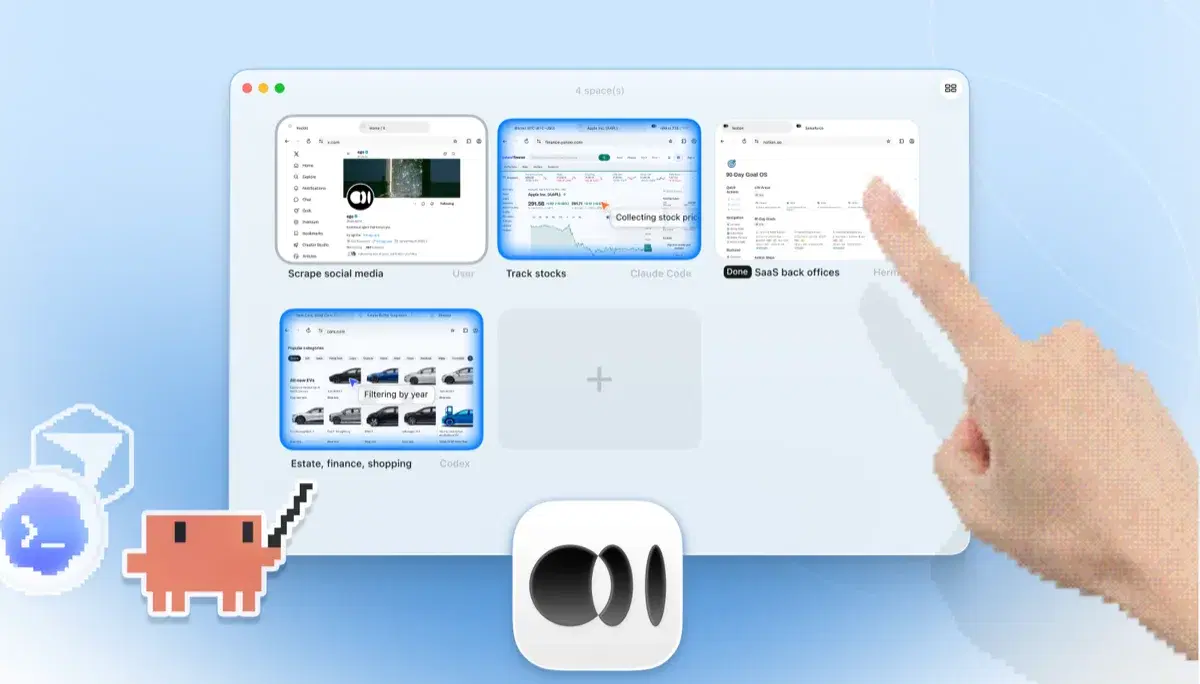
Yes, if you want the same local, agent-agnostic approach without sharing your window or the three-piece pairing. ego(lite) runs agents in their own Spaces in parallel, imports your Chrome profile so logins persist, and needs one app instead of an extension-plus-desktop-app pair. WebBridge wins if you specifically want agents driving the exact browser you already have installed, unchanged.
Is Kimi WebBridge reliable once it's set up?
Moonshot's own help center documents two common failure modes worth knowing before you rely on it: the extension shows disconnected when the local Kimi service isn't running yet, and actions like snapshot or click can fail when another installed extension (scraping tools, AI assistants) conflicts with WebBridge, which the FAQ suggests troubleshooting by disabling other extensions one at a time. ego(lite) has no local service to keep running and no extension it can conflict with, since it is the browser.
Does ego(lite) work with Kimi Code CLI?
Any CLI agent that writes code can plug in through the open-source, MIT-licensed ego-browser shell. That includes custom agents. Claude Code, Codex, Cursor, Gemini CLI, and Opencode are the documented entry points; a code-writing CLI agent like Kimi's connects the same way.
Can I keep browsing while the agent works?
In ego(lite), yes: agents run tasks in their own Spaces and never take the tabs you're using, and you can watch or take over any Space. With WebBridge, the agent operates the window you have open, so an active task and active browsing compete for the same session.
Is ego(lite) free?
Yes: free, no subscription, data stored locally, and the ego-browser shell is MIT-licensed open source. You bring your own agent and pay only whatever that agent already costs you.
How can I integrate Kimi Code without an API or CLI?
A desktop assistant or browser extension can provide a guided UI path, while a coding CLI exposes scripts and automation hooks. If you do not have an API or CLI, keep the workflow human-triggered: define the task in the product UI, review the browser actions, and export the result. ego(lite) is explicitly agent-driven through /ego-browser, so it still requires a compatible code-writing agent rather than pretending a missing integration exists.
Why might Kimi work glitch or consume quota mid-task, and how can I reduce it?
Long browser tasks can spend quota on repeated snapshots, retries, tool calls, and recovery after a disconnected bridge. Reduce surprises by splitting work into bounded steps, setting a time and token budget, saving intermediate results, and requiring pass, fail, or blocked status with evidence. ego(lite)'s local Spaces and batched actions can reduce browser round trips, but your model still has its own limits and costs; inspect the run instead of assuming a failed task completed.