Playwright MCP vs CLI: token cost, control, and agent workflows

The short answer: Playwright's current documentation says MCP has a higher context cost because tool schemas and snapshots enter the conversation, while the CLI is the lower-cost fit for coding agents because it uses concise shell commands and loads skills on demand. ego(lite) is a separate visible-browser route when an authorized live desktop session matters; it is not part of this token comparison. Playwright does not promise a universal percentage. Historical community tests reported roughly 4x differences on two specific tasks, but those figures are not an official benchmark and should not be used as a budget forecast.
Playwright CLI can also use persistent or explicitly configured authentication state.
If the task instead needs a visible, authorized desktop browser session, ego(lite) is a separate route: the agent drives its browser directly rather than choosing between Playwright MCP and CLI. The later ego(lite) workflow shows the connection and its session limits. We did not include ego(lite) in the MCP-versus-CLI token comparison, and a desktop browser is not a headless CI test runner.
A Reddit user summed up the Playwright MCP experience in one line: after just one or two browser tests, Claude Code's chat gets compacted because the context is full.
That report is consistent with a known trade-off in snapshot-heavy workflows. Playwright MCP is a protocol server that commonly returns structured accessibility information after browser actions, and on real pages those responses can be large.
What does Playwright officially say about MCP vs CLI?
Playwright's current Coding agents guide makes the product boundary explicit: MCP is best for specialized agentic loops and exploratory automation, while the CLI is best for coding agents working with large codebases. It describes CLI commands and on-demand skills as a way to avoid loading large tool schemas and verbose accessibility trees into model context. This is official workflow guidance, not a measured token multiplier.
On a phone, swipe the cropped official comparison sideways to read it at the source size.


On a phone, open the full-size official guide screenshot to read its comparison and Node.js 20+ prerequisite at the original resolution.
Read the current official MCP comparison as a decision rule, not a benchmark result. It does not publish a fixed multiplier, and current MCP and CLI releases have controls that older comparisons did not evaluate. Page shape, enabled tools, snapshot strategy, client behavior, and the number of actions all change the bill.
A historical community article cited 114K tokens for one MCP run against 27K for CLI. Its author separately reported about 89K versus 24K for an eight-step staging-app login, KPI check, report and screenshot. The tasks, versions, model clients, and measurement methods were not standardized, so compare only within each pair. Read the community author's original report for the exact scope.
Historical community token measurements
Two task-specific comparisons, not an official Playwright benchmark
Both pairs were near 4x in that article. The only durable conclusion is directional: the interface and evidence strategy can materially affect context use. Measure the release and page shapes you actually run.
What happened when we ran the same local task through both?
We ran a controlled browser task on September 28, 2026, instead of inferring current behavior from old token charts. A local Request Desk fixture asked each route to create one synthetic QA request, assign Mira, set High priority, mark it Ready, reload, and verify the saved row. The three steps depend on each other: there is no row to edit until creation, and the fixture rejects the Ready transition until owner and priority are set. The output is a structured server record, and a fresh page read plus the server event log independently check it.
The fixed environment was macOS 26.5.1 on Apple M4, Node.js 23.11.0, @playwright/cli 0.1.21, @playwright/mcp 0.0.82, and the Chromium shipped with their shared Playwright 1.64.0 alpha dependency. Both used isolated headless browser sessions. We alternated route order and reset the fixture before every run. These were deterministic tool replays with the same input and pass conditions, not autonomous agents choosing their own steps.
# CLI route, abbreviated from the saved replay
playwright-cli -s=trial open http://127.0.0.1:48218/
playwright-cli -s=trial fill '#order' 6123
playwright-cli -s=trial fill '#subject' 'Review shipment status'
playwright-cli -s=trial click '#create'
playwright-cli -s=trial select '#owner' Mira
playwright-cli -s=trial select '#priority' High
playwright-cli -s=trial click '#save'
playwright-cli -s=trial click '#ready'
playwright-cli -s=trial reload
playwright-cli -s=trial snapshot
The MCP route used the matching browser_navigate, browser_type, browser_click, browser_select_option, and browser_snapshot tools through a direct MCP client. Both routes passed all four rubric checks in each of their three normal runs. That is six successful deterministic fixture runs, not evidence that either route has a general 100% success rate or that one is cheaper. We did not run a shared model client, so model tokens and cost were not observable. The recorded wall times include process and local machine effects and are not a speed comparison.
| Route and version | Normal fixture runs | Injected write failure | Model tokens |
|---|---|---|---|
| CLI 0.1.21 | 3/3 saved as Ready after reload | Draft detected after reload | Not observable |
| MCP 0.0.82 | 3/3 saved as Ready after reload | Draft detected after reload | Not observable |


CLI run 1 saved row: order 6123; owner Mira; priority High; status Ready. Open the full-size CLI screenshot to inspect the original pixels.


MCP run 1 saved row: order 6123; owner Mira; priority High; status Ready. Open the full-size MCP screenshot to inspect the original pixels.
We then injected one controlled failure per route. The Ready endpoint returned HTTP 200 and the page briefly displayed Ready, but the server suppressed the write. After reload, both routes showed Draft, and the server log recorded ready_write_suppressed instead of mark_ready. This tests the evidence check, not each tool's reliability. A screenshot taken before reload would have given the wrong answer.


MCP injected-failure row after reload: order 6123; owner Mira; priority High; status Draft. Open the full-size failure screenshot to inspect the original pixels.
The reproduction pack contains the fixture, fixed plan, package lock, both replay clients, every tool response, all eight result rows, failure injection events, screenshots, and validation sheet. The case establishes that both current interfaces can complete this local task and that neither a toast nor a tool success response proves a durable write. It does not establish token, cost, speed, or broad reliability superiority.
Where do MCP tokens actually go?
The historical 8-step measurement is useful because it itemizes one bill. Its values describe that setup, not current Playwright defaults or every MCP client.
First, the reported fixed cost: that MCP client loaded two dozen-plus tool schemas, measured at about 4,200 tokens, while its CLI path used a 68-token help read. Tool discovery and caching differ by client and release, so these are not package constants.
Second, the reported per-step cost: the tested flow returned accessibility trees after actions. The author measured about 3,800 tokens for a login form and 12,000 for a dashboard, then noted larger enterprise pages. Current Playwright MCP can search a snapshot with browser_find, write a snapshot to a file, limit its depth, or set snapshot mode to none. Those controls can materially change the result.
The current official MCP command reference describes browser_find as cheaper than returning a whole snapshot when the target text is known. That is now the first optimization to try before disabling snapshots entirely.
We measured this ourselves in August 2026, on a different MCP server built on the same accessibility-snapshot pattern (Chrome DevTools MCP, not Playwright MCP, since that's the one we had a live harness for), to see the actual byte cost of a single snapshot call with our own eyes. One take_snapshot call on a moderately simple page, Hacker News's front page, came back at 38,285 characters, roughly 9-10K tokens, for one snapshot:
import asyncio
from mcp import ClientSession, StdioServerParameters
from mcp.client.stdio import stdio_client

async def main():
    params = StdioServerParameters(
        command="npx",
        args=["--yes", "chrome-devtools-mcp@latest", "--headless", "--isolated"],
    )
    async with stdio_client(params) as (read, write):
        async with ClientSession(read, write) as session:
            await session.initialize()
            nav = await session.call_tool("navigate_page", {"url": "https://news.ycombinator.com/"})
            print("navigate_page chars:", len("".join(c.text for c in nav.content if hasattr(c, "text"))))

            snap = await session.call_tool("take_snapshot", {})
            snap_text = "".join(c.text for c in snap.content if hasattr(c, "text"))
            print("take_snapshot chars:", len(snap_text))
            print(snap_text[:700])

asyncio.run(main())
navigate_page chars: 123
take_snapshot chars: 38285
## Latest page snapshot
uid=1_0 RootWebArea "Hacker News" url="https://news.ycombinator.com/"
uid=1_1 link url="https://news.ycombinator.com/"
uid=1_2 link "Hacker News" url="https://news.ycombinator.com/news"
uid=1_3 StaticText "Hacker News"
uid=1_4 link "new" url="https://news.ycombinator.com/newest"
uid=1_5 StaticText "new"
uid=1_6 StaticText " | "
uid=1_7 link "past" url="https://news.ycombinator.com/front"
uid=1_8 StaticText "past"
uid=1_9 StaticText " | "
uid=1_10 link "comments" url="https://news.ycombinator.com/newcomments"
uid=1_11 StaticText "comments"
uid=1_12 StaticText " | "
uid=1_13 link "ask" url="https://news.ycombinator.com/ask"
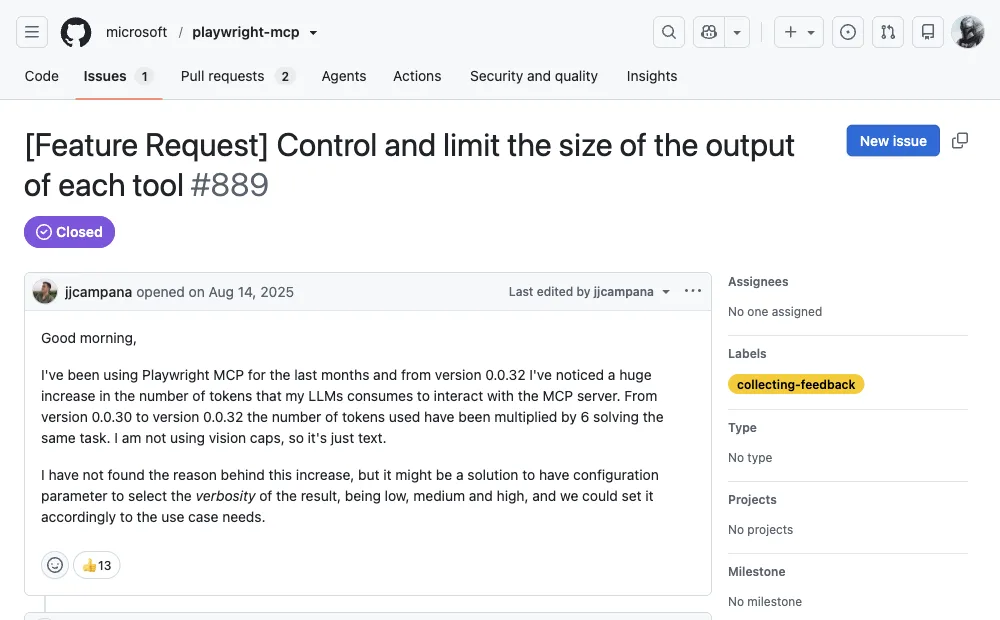
...A historical issue shows how release changes matter. Issue #889 on the microsoft/playwright-mcp repo reported token usage multiplying 6x between two minor versions for the same task and requested a verbosity setting. The issue is closed, and current releases expose more targeted snapshot controls. Use it as historical evidence for version-sensitive measurement, not as a description of today's default behavior.
The context meter can grow with repeated observations.
Why does the gap grow with every step?
Short tasks may show little practical difference. The gap can open on multi-step work when full MCP snapshots accumulate in the conversation while CLI artifacts stay on disk and the agent reads only a narrow slice. It can also shrink when MCP uses browser_find or depth-limited snapshots, or when a CLI agent reads every artifact back into context.
In the community author's measured session, the agent reportedly carried 60-90K tokens of page state by step 12-15 and then referenced an element from an earlier page. The author's CLI workflow wrote snapshots to disk and read only selected output. This is one historical failure mode, not a threshold Playwright guarantees.
That workaround is worth pausing on. When users independently converge on "make the agent write code instead of calling MCP tools," they are choosing a file- and shell-oriented route similar to the CLI.
When is Playwright MCP still the right choice?
A fair comparison has to state what MCP does better, because there are real cases where it's the correct pick despite the token bill.
| Situation | Better route | Why |
|---|---|---|
| Agent has no shell or filesystem access (Claude Desktop, sandboxed clients) | MCP | The CLI can't run without a shell. MCP works over the protocol alone. |
| Short exploratory session, under ~10 steps | MCP | Zero-code setup, and full page structure in context helps the model reason about unfamiliar pages. |
| Agent that can't write code (pure conversational agent) | MCP | Tool calls may be the practical interface; CLI assumes shell and file access. |
| Long tasks, 15+ steps, or browser work mixed with coding | CLI | Snapshot accumulation can pressure long MCP sessions; CLI context can stay smaller when artifacts are read selectively. |
| Cost-sensitive workloads at scale | CLI | A roughly 4x context-token reduction can reduce model input cost for the browser portion, but the invoice also depends on model pricing, output tokens, retries, and the workload. |
| Tasks behind logins on your own accounts | Both, with explicit setup | CLI can persist a profile, load storage state, attach through the Playwright extension, or attach to Chrome/Edge over CDP. MCP supports persistent or isolated profiles, storage state, and its browser extension. Each route requires deliberate authorization and profile handling. |
MCP's honest pitch is convenience and compatibility: one config line, and many MCP-capable clients can use it without code skills. That convenience can be worthwhile for short tasks; measure the context cost before using it for long workflows.
What does the CLI route require?
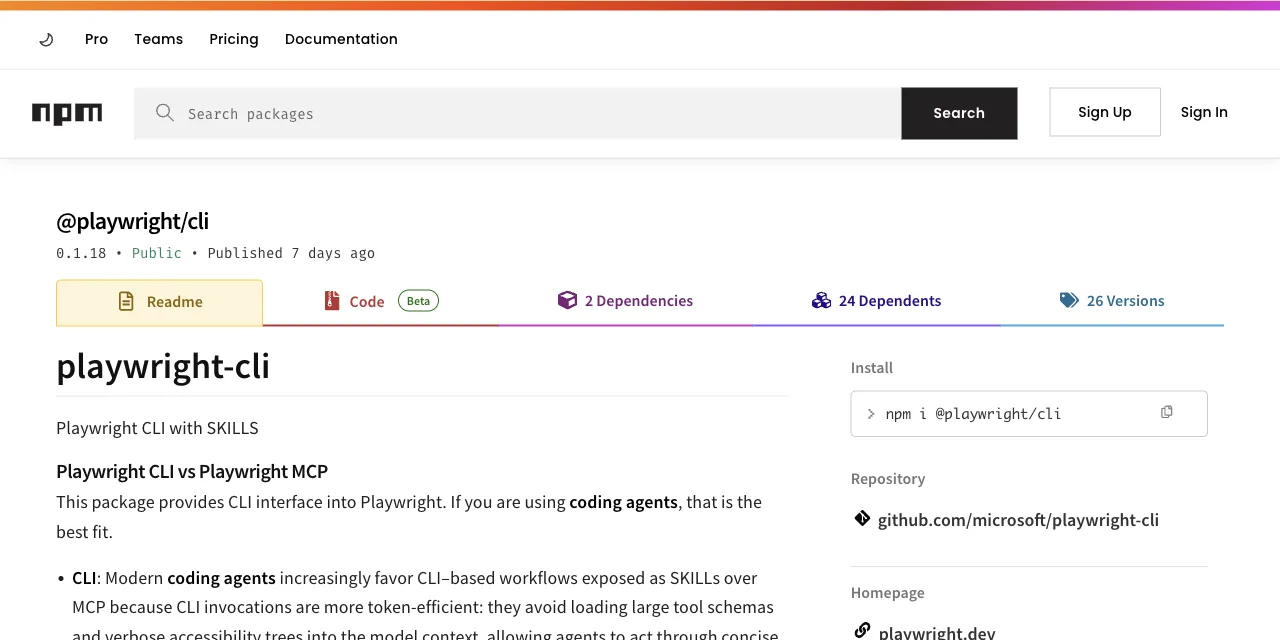
The official CLI is @playwright/cli, shipped by the Playwright team for exactly this problem. Setup is two commands:
npm install -g @playwright/cli@latest
playwright-cli install --skills   # installs agent skills for Claude Code / Copilot

playwright-cli open https://example.com
playwright-cli snapshot           # refs like e15, saved to disk
playwright-cli click e15
The key gate is shell and file access: the agent must be able to run commands and read files. Claude Code, Codex, Cursor, and Copilot can do this when configured with those permissions; a chat-only client may need an MCP-capable integration instead. The live Playwright Coding agents guide lists Node.js 20 or newer as its prerequisite. The exact 0.1.21 and 0.0.82 npm packages still declare Node >=18 in their engines metadata; that package field is less conservative than the current guide, so use Node 20+ for this workflow.
How do you use Playwright CLI with OpenCode?
OpenCode can use the official Playwright CLI as a shell-accessible skill. Install the CLI, install its skills when your agent supports them, then tell OpenCode to run playwright-cli commands; there is no Playwright MCP server to register for this route. The minimal setup is:
npm install -g @playwright/cli@latest
playwright-cli install --skills

playwright-cli open https://example.com
playwright-cli snapshot
playwright-cli click e15
If your OpenCode setup does not load skills automatically, give it the same command contract explicitly: ask it to check playwright-cli --help, run a snapshot before using a ref, and read output files only when it needs them. The CLI keeps cookies for the current in-memory session; add --persistent when you need the profile to survive a browser restart, or use -s=project-name to keep separate sessions.
If you specifically want Playwright MCP inside OpenCode, that is a separate configuration. The official Playwright MCP README documents a local server entry like this:
{
  "$schema": "https://opencode.ai/config.json",
  "mcp": {
    "playwright": {
      "type": "local",
      "command": ["npx", "@playwright/mcp@latest"],
      "enabled": true
    }
  }
}
There is a separate profile trade-off: the CLI launches its own browser profile unless you configure persistence or attach to an existing browser. A fresh profile has no cookies or sessions. When a task sits behind a login wall, use an approved login flow, persistent profile, or storage state rather than copying credentials into prompts.
Local-model provider setup is a separate decision. For that workflow, read our Ollama browser-agent guide after choosing the browser interface.
Can the CLI use an existing logged-in browser?
Yes. The current Playwright CLI can attach through the Playwright Chrome extension, attach to a running Chrome or Edge channel over CDP, or connect to a CDP endpoint. Its default session keeps cookies in memory until the browser closes; --persistent or --profile keeps state on disk. Treat an attached personal profile as sensitive access: approve the connection intentionally and use a task-specific profile when possible.
The official session-management reference documents named sessions, persistent profiles, extension attachment, and CDP attachment. The browser must explicitly allow remote debugging for CDP attachment.
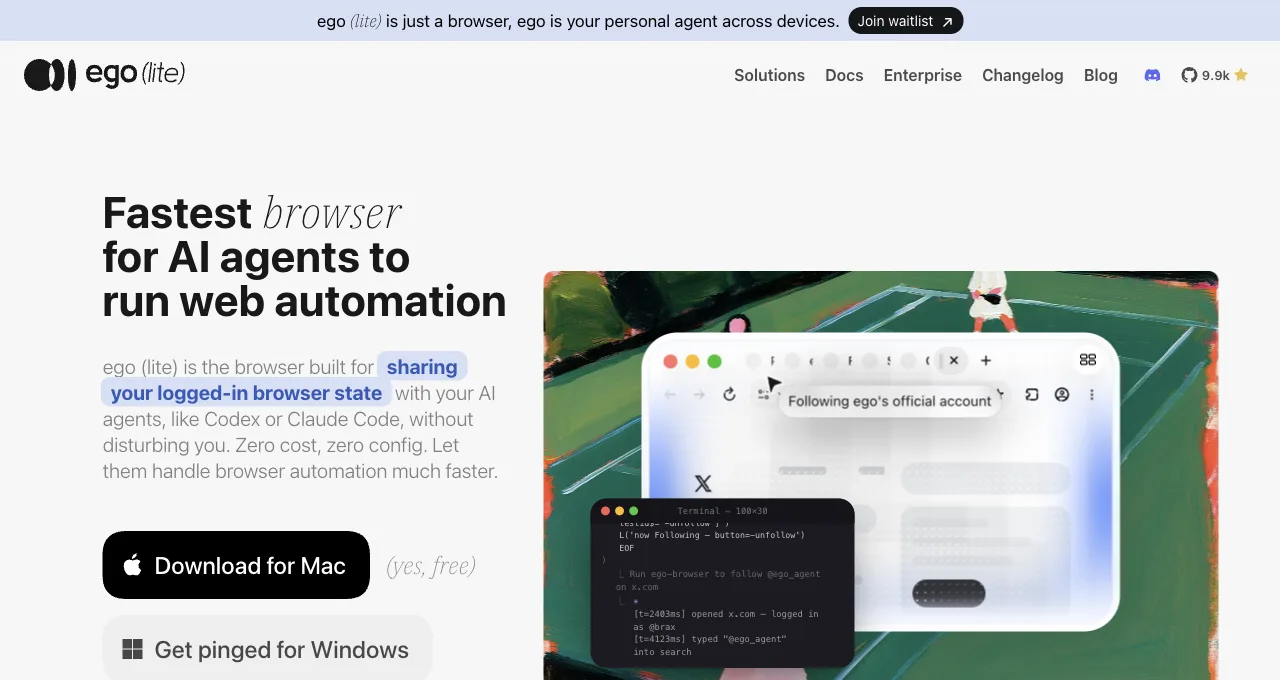
ego(lite) is one login-aware route among several, not the only one. It is itself the browser, so an agent drives it directly, with no extension to install and no remote debugging port left open. Session expiry, MFA, account permissions, and site policy still apply.
The token model goes one step past the Playwright CLI. Instead of one shell command per action, the agent writes a short JavaScript program and pipes it in as a heredoc. The whole multi-step workflow (open, wait, extract, loop) executes outside the model, in one round, and only the final result comes back into context:
ego-browser nodejs <<'EOF'
const task = await taskSpace("article release QA")
const page = task.page("p1")
await page.goto("http://127.0.0.1:3013/article/playwright-mcp-vs-cli")
await page.waitForSelector("loc=css:article", { state: "visible" })
await page.cdp("Emulation.setDeviceMetricsOverride", {
  width: 390, height: 844, deviceScaleFactor: 1, mobile: true
})
const result = await page.evaluate(() => ({
  h1Count: document.querySelectorAll("h1").length,
  horizontalOverflow: document.documentElement.scrollWidth > innerWidth,
  failedImages: [...document.querySelectorAll("article img")]
    .filter(img => img.complete && img.naturalWidth === 0).length,
  missingAlt: [...document.querySelectorAll("article img")]
    .filter(img => !img.getAttribute("alt")?.trim()).length
}))
console.log(JSON.stringify(result))
EOF
# observed on September 10, 2026:
{"h1Count":1,"horizontalOverflow":false,"failedImages":0,"missingAlt":0}That wasn't a toy extraction. We kept eight article pages open in one Space, checked desktop and 390-pixel mobile layouts, validated language tags, canonicals, heading order, image loads, alt text, anchor targets, code overflow, and horizontal overflow, then clicked the article outline and verified the target heading entered the viewport. The localized pages and all three English pages passed the tested checks.
When the authorized profile import is accepted by the target site, the agent can reuse that state instead of scripting a fresh login. Session expiry, MFA, and site policy can still interrupt the flow. Batching repeated actions into one script can reduce command handoffs, but this article's local CLI-versus-MCP case did not measure model rounds, tokens, or cost.
Being fair the other way: ego(lite) is a desktop browser. It won't run in a headless CI container, and it isn't a test framework, so it is the wrong tool when you need repeatable headless runs in CI. Where it fits instead is a live account you already control, where the agent starts from the login state you chose to import. assertion-heavy regression suites still belong to Playwright proper. Its place is the daily work that needs your own accounts.
Pick by task shape, not by hype: the full ego(lite) vs Playwright MCP comparison walks through it dimension by dimension, or download ego(lite) for Mac and run one real task, it's free.
How do you reduce token usage in Playwright browser automation?
Reduce Playwright token usage by controlling the evidence that returns to the model. Keep a task-specific tool set, use a filtered snapshot or targeted locator instead of a full page dump, batch repeated actions in a script, and write large outputs to files for selective reading. Set limits for pages, actions, retries, and tokens so a failed run stops predictably.
- Start with a scope contract. Name the URLs, fields, and success condition. A coding agent should not repeatedly rediscover the same page or read links outside the requested scope.
- Prefer targeted observations. Ask for a locator's text, a small table, or a specific DOM property when the target is known. Current MCP provides browser_find for matching text with surrounding context; current CLI provides find, element snapshots, and --depth. Use a full accessibility snapshot only when the agent must discover the page structure.
- Batch work outside the chat. Have the CLI execute a loop and emit one JSON or CSV result instead of asking Claude to call a browser tool for every row. Read only the output slice needed to decide the next step.
- Measure accepted results. Log input and output tokens, browser actions, retries, and rows that pass validation. Compare cost per accepted row, not token totals alone.
When should you use MCP versus CLI for cost efficiency?
Use MCP when a short, exploratory task benefits from immediate structured page context or when the client cannot run shell commands. Use the CLI when the task is long, repetitive, cost-sensitive, or mixed with coding, because outputs can remain on disk and scripts can batch actions. The choice is an interface decision, not a claim that one browser engine is inherently cheaper.
| Question | Prefer MCP | Prefer CLI |
|---|---|---|
| Can the agent run shell commands? | No; MCP is the available interface | Yes; scripts and files are available |
| Does the agent need to discover the page? | Often; a live snapshot is convenient | Only when the script reads a snapshot |
| Will the task run for many steps or rows? | Works, but snapshot context accumulates | Usually; batch and checkpoint the loop |
| Is the job a deterministic CI test? | Useful for drafting or exploration | Best fit for repeatable test commands |
For a mixed workflow, keep both installed: use MCP to inspect an unfamiliar page, then convert the stable path into a CLI script or Playwright test. If the task needs a live account you already control, neither interface automatically inherits your everyday Chrome; use an explicitly authorized persistent profile, or a browser such as ego(lite), which imports your Chrome profile in one click.
How do you control tool bloat and context-window usage?
Treat tool schemas and page snapshots as part of the context budget. Disable unused MCP servers, expose only the commands a task needs, trim snapshots or use locator-scoped reads, and periodically summarize the run into a small state file. Context control is a configuration and workflow problem; adding a larger model does not make an unbounded transcript cheap.
- Load tools per task. Keep browser, filesystem, deployment, and design tools in separate configurations where possible. A tool that is never called can still add schema tokens at session start.
- Use a context checkpoint. Write URL, task state, completed keys, failures, and next action to a file. Start a new conversation from that file when the transcript becomes noisy.
- Cap evidence size. Limit rows, characters, screenshots, and trace retention per step. Save the full artifact for audit, but send Claude the summary and the relevant excerpt.
Playwright MCP's snapshot controls and the CLI's file-oriented workflow make different trade-offs. Compare the enabled tools and returned evidence against the exact client context window; do not copy a community token number into a production budget without measuring your own page shapes.
How do you automate browser verification in a local coding workflow?
Put browser verification after the code change and before the merge, with the agent producing a reproducible command and a small evidence bundle. A local workflow can open the app, run a smoke path, capture a screenshot or trace on failure, and summarize the result for a pull request. Schedule the check only when the environment, test data, and credentials are controlled and the run is safe to repeat.
- Build a deterministic fixture. Use a local server, seeded database, or test account. Avoid making a live production account the only source of pass/fail evidence.
- Run a small smoke contract. Check navigation, a key interaction, the resulting URL or API response, and one user-visible assertion. Keep exploratory notes separate from the gate.
- Attach evidence to the change. Record the commit, browser and Playwright versions, command, duration, and redacted trace or screenshot on failure. A reviewer should be able to rerun it without reconstructing the chat.
A scheduled CLI can open a pull request with the evidence, but it should not merge or deploy solely because an agent says passed. Require the repository's normal checks and a human review for external side effects.
Does installing Playwright CLI replace the MCP plugin?
Installing Playwright CLI does not technically replace Playwright MCP; they are separate interfaces to Playwright. Keep MCP when a chat client needs tool calls and live page structure without shell access. Use the CLI when a coding agent can run commands, persist artifacts, or batch a long workflow. You can keep both installed, but disable the unused MCP server when context cost matters.
npm install -g @playwright/cli@latest
playwright-cli --version
playwright-cli --help
The CLI can open pages, create snapshots, click refs, evaluate scripts, save output, and install agent skills; it does not automatically write a durable test suite for you. Have Claude turn a proven command sequence into a Playwright Test when you need assertions, fixtures, retries, traces, and CI reporting.
Read the official Playwright CLI guide before treating an exploratory CLI command as a regression test.
FAQ
Is the Playwright CLI faster than Playwright MCP?
Playwright officially describes CLI as lower-token-cost for coding agents, but it does not promise a fixed speedup. One historical community article reported near-4x context differences on two specific tasks. Wall-clock speed depends on browser work, model round trips, retries, and how much evidence the agent reads, so measure your own workflow.
Why does Playwright MCP use so many tokens?
The official comparison identifies tool schemas and snapshots as contributors. In one historical community measurement, schemas were about 4,200 tokens and two page snapshots were about 3,800 and 12,000. Those are not current defaults. Use browser_find, depth-limited or element snapshots, and your client's own token reporting to measure the workflow you run.
Can I use the Playwright CLI with any AI agent?
Use it with an agent that can run shell commands and read files, such as Claude Code, Codex, Cursor, or Copilot when configured that way. A chat-only client needs another integration, such as an MCP-capable route.
Does either route work on sites behind a login?
By default, each route starts with its own browser state. Playwright CLI can preserve an in-memory session, save a profile with --persistent, load storage state, or attach through its extension or CDP. Playwright MCP can use a persistent user-data directory, storage state, or its browser extension. Configure and authorize those paths deliberately.
Is Playwright CLI deprecated?
No. Playwright's current Coding agents guide recommends playwright-cli for coding agents and still documents its installation, skills, sessions, and commands. The guide does not describe it as deprecated.
Is playwright-cli the same as npx playwright test?
No. The @playwright/cli package provides agent-facing browser commands such as open, click, and snapshot. Playwright Test's separate command-line guide uses npx playwright test to run test files and reports. Use Playwright Test for a repeatable assertion suite; use CLI or MCP as an agent's browser interface while exploring or building that suite. Playwright's test CLI guide documents the latter.
Which Node.js version should I use?
Use Node.js 20 or newer for the workflow in the current Coding agents guide. The exact npm package manifests we inspected for CLI 0.1.21 and MCP 0.0.82 still declare engines >=18, which is a different and less conservative statement than the live guide's prerequisite. Our run used Node.js 23.11.0.
Did the new local case measure token savings?
No. The September 28 case used deterministic tool replays without one shared model client. It verified browser actions and saved state, but model tokens and billed cost were not observable. Treat the historical community numbers as separate reports, not results from this case.
Can I reproduce the local case without a paid model?
Yes. The reproduction pack includes the local fixture, pinned package lock, fixed plan, CLI and MCP replay scripts, and the result checks. It does not require a model account because the actions are scripted. A successful replay verifies those browser operations in your environment; it does not test an autonomous agent's planning or token use.
What did the injected write failure prove?
It showed that an HTTP 200 and an immediate Ready display can coexist with a Draft record on the server. Both routes revealed the mismatch after a reload and an independent state check. One injected run per route does not estimate failure rates or show that either interface is inherently more reliable.