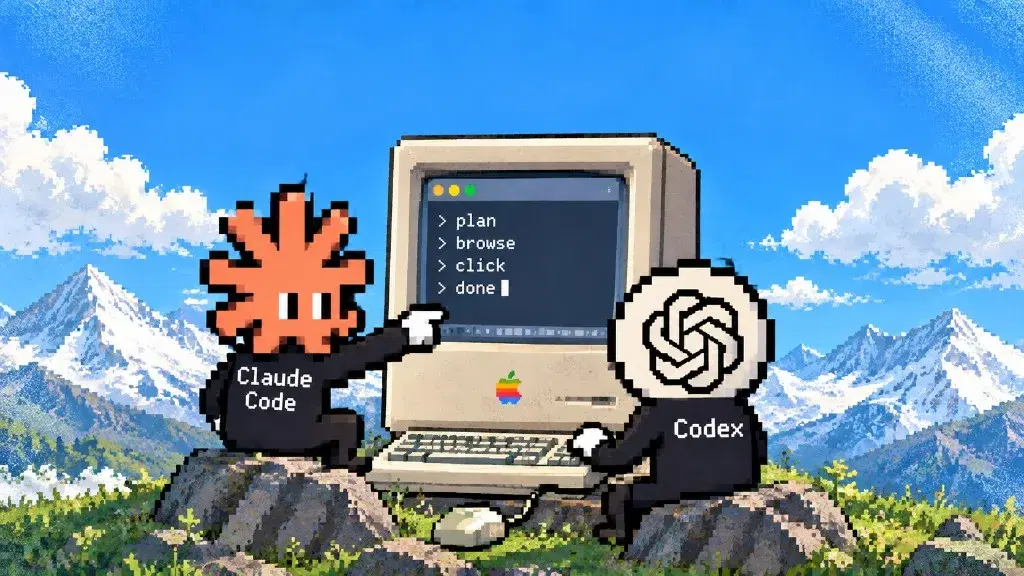
Browser Use vs Computer Use: browser agent comparison

"Browser use" and "computer use" sound like the same feature at different zoom levels. They're actually two technical routes with different physics, and picking wrong costs real money per step.
Browser-native agents (Browser Use the framework, and the category around it) read page structure (DOM, accessibility trees) and send browser commands. Screen-native agents (Anthropic's Computer Use tool, OpenAI's Operator lineage) look at screenshots and move a cursor by coordinates, exactly like a human at the glass.
One route is faster and cheaper but stops at the browser's edge; the other reaches any pixel on the desktop and pays for that reach. Here's the split, with the public numbers attached and their vintage labeled honestly.
What are the two routes, mechanically?
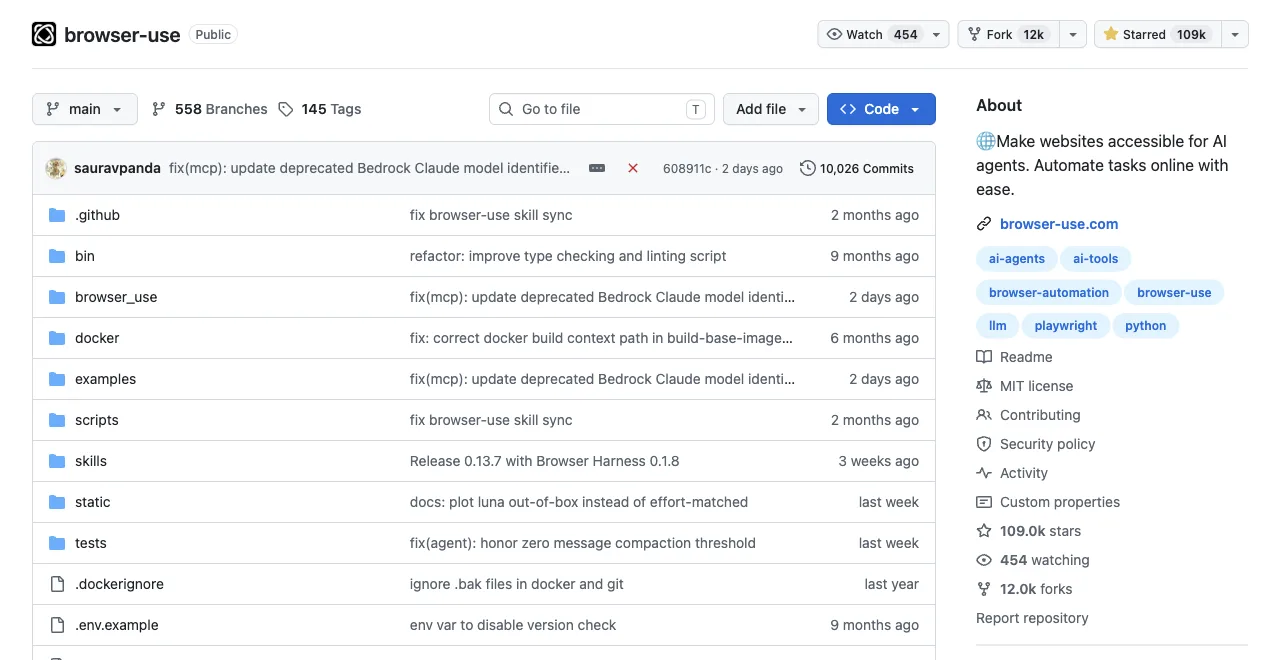
Browser-native: the agent receives page structure (DOM, accessibility tree, or extracted text), reasons over it as text, and emits browser-level commands (click this node, fill that field). Because input is structure, it can be filtered and compressed; because output is a command, execution is precise. The route only exists inside a browser.
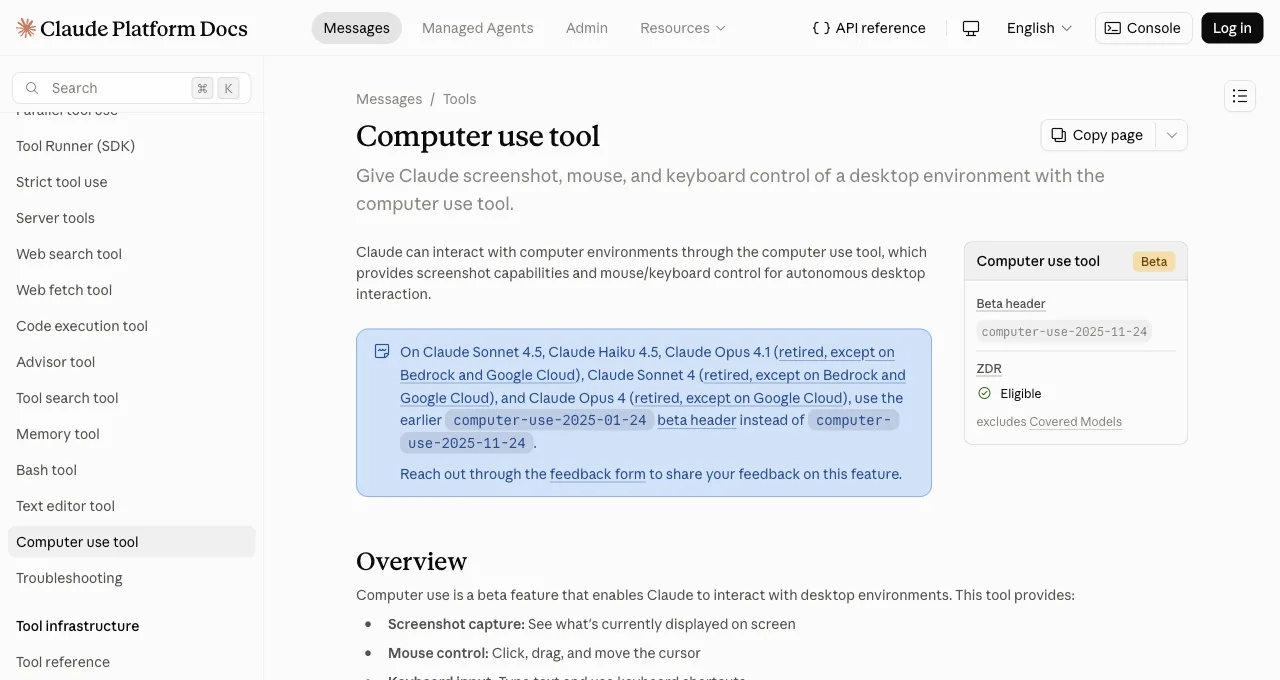
Screen-native: the agent receives a screenshot, reasons over pixels with a vision model, and emits coordinates and keystrokes. Anthropic's Computer Use tool now ships as the computer_toolset_20260801 toolset, available on the Claude API and Google Cloud, and gives Claude 17 member tools such as screenshot, left_click, type, and zoom (Anthropic docs). The docs no longer label it beta, but they still carry significant security considerations, including running in a dedicated VM or container and asking a human to confirm consequential actions (Anthropic docs).
Because input is an image, nothing about the target needs to be a webpage; because output is a coordinate, precision depends on the model's vision.
Read the DOM and command, or read the pixels and point. Every other difference follows from that sentence.
The routes side by side, strengths and stop-signs together:
| Property | Browser-native | Screen-native |
|---|---|---|
| Model input | Filtered page structure as text; compressible | Screenshots; payload scales with resolution |
| Reach | Web pages only; can't touch desktop apps | Anything on screen; can't be scoped below the display |
| Typical tools | Browser Use, Playwright-driven agents, ego(lite) via ego-browser | Anthropic Computer Use (beta), OpenAI's CUA/Operator lineage |
| Error style | Structural; catchable by validation | Spatial; looks like human slips, harder to detect |
What are the two official Anthropic tools, mechanically?
Anthropic now formalizes the split into two first-party tools. The computer use tool is the pixel-based toolset described above: one {"type": "computer_toolset_20260801"} entry in tools gives Claude 17 member tools for screenshot, mouse, and keyboard control of a desktop (Anthropic docs). The browser use tool is the DOM-native alternative: its member tools read and act on the page itself, and it does not need a full desktop environment (Anthropic docs). For tasks that stay inside webpages, Anthropic's own guidance says the browser use tool is the closer fit (Anthropic docs).
How do they compare on cost, scope, and errors?
Three metrics decide real deployments. First, the most-cited public accuracy numbers, with their vintage stated plainly:
WebVoyager web-task success rate (%), as publicly reported
Higher is better; figures from each vendor's published reports, 2025 era
Those are vendor-reported figures. For the browser-native route there is also an independent-format 2026 measurement: Real-World Bench (github.com/citrolabs/ego-browser-benchmark-framework) ran the 31-task suite against live production sites, plus a deterministic local site for the stateful checkout flow, through five browser tools with the same model and the same judge, scoring up to 6 binary rubrics per task (154 across the 31-task suite). The suite even includes a canvas-shaped task, composing a mirrored loop in Chrome Music Lab's Song Maker, the kind of interface this article files under screen-native territory. Browser Use's entry was Browser Harness, Browser Use's local version (the cloud product was not benchmarked): 77.4% of 31 tasks perfect. Its $2.43 average cost per task works out to $2.43 divided by 77.4%, or $3.14 per completed task. No screen-native tool was in that run, so it measures the browser-native field, not this article's two routes head to head.
Cost per step: a browser-native step sends compressed page structure; a screen-native step sends one or more screenshots to a vision model and typically needs more steps for the same flow (look, move, verify, adjust). Same task, image-sized payloads and extra rounds: that's why the screen route runs roughly an order of magnitude pricier on web work, and why nobody publishes a flat number, since it moves with resolution and model.
Scope: browser-native ends at the browser chrome; it cannot click your email client or a desktop dialog. Screen-native scores on OS-level benchmarks precisely because it's the only route that can (OSWorld: 22% for early Computer Use, 38.1% for Operator's lineage, low absolute numbers that are still infinitely more than the browser route's zero).
Error style: browser-native errors are structural (wrong node, missing element), which retries and validation catch. Screen-native errors are spatial (clicked 30 pixels off, misread a button), which look like human slips and are harder to detect programmatically.
Which scenarios belong to each route?
Browser-native owns: web data collection at any volume (structure extraction is its home game), form-heavy workflows on websites (precise field targeting), and logged-in web tasks, where the browser-native route matters for a different reason: separate workspaces in one browser let background tasks run without taking over your window, so agents likeClaude Code and Codex, so the agent starts past the sign-in instead of at it, working in its own Space rather than your window.
Three scenarios, one common property: the target is structure, and structure is what this route reads natively.
Screen-native owns: workflows crossing into desktop software (the browser-to-Excel-to-ERP chain), legacy or canvas-rendered interfaces where the DOM says nothing useful, and QA of what humans literally see, since it tests the pixels rather than the markup.
For tasks that stay inside a single webpage, Anthropic's own browser use tool is now a first-party option (Anthropic docs). It is distinct from third-party real-browser frameworks like Browser Use, which manage a full browser session and can handle multi-page workflows; the browser use tool's scope is the page it is pointed at, not a persistent browser you control.
Are local models good enough for browser agents?
A local model can drive bounded browser workflows when it follows tool schemas reliably, understands the page representation, and runs fast enough for an action-observation loop. Choose by task success and recovery behavior on your own pages, not by parameter count or a single leaderboard.
- For browser-native tasks, test structured tool calling, locator selection, long-context discipline, and JSON or schema adherence.
- For screen-native tasks, test OCR, small-target grounding, coordinate accuracy, image resolution, and latency after every screenshot.
- Use a local model for low-risk steps and escalate ambiguous or state-changing actions to a stronger hosted model or a human.
Run a fixed evaluation set with success rate, retries, median steps, wall time, and cost per completed task. A model that is cheap per token but doubles the number of screenshots and failed clicks can be the expensive option.
Should a computer-use agent see pixels or an accessibility tree?
Use the accessibility tree or DOM for ordinary web controls because labels and roles make actions precise and cheap. Use pixels when the target is canvas-rendered, visually defined, inside a native application, or missing meaningful structure. The strongest architecture combines both and records which signal justified the action.
| Signal | Best for | Failure mode |
|---|---|---|
| DOM / accessibility tree | Forms, links, tables, structured pages | Missing semantics, stale nodes, canvas |
| Pixels / screenshots | Canvas, native apps, visual validation | OCR errors, coordinate drift, image cost |
| Hybrid | Structure-first action with visual verification | More orchestration and two evidence streams |
Real-time screen perception is a loop: capture a fresh frame, ground the target, act, then capture again to verify the state changed. Never reuse coordinates after the window, scale, scroll position, or layout changes.
How do you control computer-use credits and cost?
Control computer-use cost with per-task limits on credits, tokens, screenshots, actions, elapsed time, and retries. Save a checkpoint before the limit and stop with an artifact rather than letting a long research or multi-agent run consume an entire monthly allowance.
- Route browser-only work to a structure-native tool, and reserve image-heavy computer use for desktop or canvas steps that require it.
- Ask for one bounded artifact per run, with explicit sources and a definition of done; split a large research project into reviewable stages.
- Track model input/output, screenshots, tool calls, browser minutes, retries, and human recovery separately, then calculate cost per completed task.
Vendor credits are product-specific and can change, so check the current plan and billing dashboard before a large job. Set provider-side alerts and quotas where available; a prompt asking the agent to be frugal is not a hard budget.
How do you handle clicks, reading, and session failures?
Treat every click and read as unverified until the next observation proves the expected state. Screen-native agents should recapture after layout changes; browser-native agents should refresh stale locators and validate URL, visible text, and application state before continuing.
- Wrong coordinates or drag failures: verify window bounds and display scale, recapture, and require a confidence threshold or human takeover.
- Unreadable text: use semantic structure or OCR as a second signal, and mark low-confidence fields unavailable instead of guessing.
- Stale dashboards: retain source URL and checked-at time, force a refresh when freshness matters, and compare the displayed period against the requested period.
- Repeated macOS permission prompts: grant Screen Recording and Accessibility only to the signed application you intend to use, restart it after changes, and revoke access when it is no longer needed.
For sign-in modals, MFA, consent, payment, or account changes, pause and hand control to the user. More retries do not fix a human checkpoint and may lock the account.
What open-source and self-hosted alternatives exist?
Open-source computer-use stacks range from browser-only libraries to full virtual desktops. Browser Use and Playwright cover browser-native work; OS-level projects combine screenshot capture, mouse and keyboard control, sandboxing, and a model. Evaluate the whole runtime, not just the agent loop.
- Verify the license, release activity, supported operating systems, model providers, and whether the runtime is local, containerized, or cloud-hosted.
- Require isolation between tasks, scoped filesystem and network access, auditable tool calls, secret redaction, and an emergency stop.
- Test recovery from crashes, display changes, stale sessions, and partial writes before trusting unattended operation.
Self-hosting gives you control over deployment and data paths, but it is not automatically private or secure. You become responsible for model endpoints, logs, patches, access control, and incident response.
How much of a real workflow should an agent automate?
Automate the reversible, observable middle of a workflow and keep human approval at identity, legal, financial, and external-communication boundaries. An agent can gather evidence, draft an SEO audit, reconcile ERP fields, or prepare a registration form; a person should review claims and authorize the final submission.
- Good autonomous steps: navigation, bounded extraction, normalization, comparisons, screenshots, and draft artifacts with sources.
- Human gates: account registration, MFA, accepting terms, purchases, messages, deletion, production changes, and sensitive data disclosure.
- Use checkpoints, idempotency keys, audit logs, and a dry-run mode so a resumed agent cannot repeat a state-changing action.
Browser-only agents also stop at native applications and operating-system dialogs. Use a hybrid route for those steps, or integrate the system's API when one exists; visual automation should not replace a reliable supported interface without a concrete reason.
When do you use both together?
The routes compose better than they compete. The clean pattern: run everything web-shaped on the browser-native route (cheaper, faster, structurally verifiable), and hand off to screen-native only for the segments that leave the browser: the desktop approval dialog, the legacy client, the spreadsheet paste. Cost concentrates where capability requires it.
A concrete daily-work version: your coding agent pulls numbers from three logged-in dashboards inside ego(lite) (browser-native, one script, no per-step vision bill), while a screen-native session handles the one legacy desktop app the numbers must be typed into.
If your week contains no desktop-app leg, you don't need the screen route at all yet, and web-only users adopting screen-native for web tasks are paying vision prices for structure work.
One prediction worth planting: as screen-native models improve, the tempting mistake will invert. Teams will route everything through the general tool because it can do everything, then rediscover that specialized routes are cheaper and steadier for the ninety percent of knowledge work that lives in a browser. Reach is not the same as fit, and the split in this article survives better models on both sides.
Download ego(lite) for Mac, free, or see how it compares with Browser Use on the browser-native side.
FAQ
Is Browser Use better than Computer Use?
On web tasks, browser-native approaches have led every published benchmark (WebVoyager: 89% vs 56% in the era's most-cited figures). On anything outside a browser, Computer Use isn't worse, it's the only contender. Different questions, different winners.
Why is screen-native so much more expensive?
Every step ships screenshots to a vision model, and flows need more steps (act, re-screenshot, verify). Browser-native sends filtered text structure instead, and ego(lite) goes further: each page reaches the agent as a Snapshot, an accessibility tree with stable @N refs rather than raw HTML, and a few lines of JavaScript can run several actions in-page at once instead of one tool call at a time, so the savings land on the whole task rather than a single step.
Is Operator browser-native or screen-native?
A hybrid lineage: OpenAI's CUA models reason over screenshots (screen-native perception) but operate inside a managed browser (browser scope). Its 87% WebVoyager alongside 38.1% OSWorld shows the blend: near browser-native on web tasks, screen-native reach when needed.
Are the WebVoyager and OSWorld numbers still current?
Treat them as era markers, not scoreboard: the 89/87/56 WebVoyager and 22/38.1 OSWorld figures come from 2025-era vendor reports, and screen-native models have improved meaningfully since. For the browser-native side there is a fresher, same-model, same-judge measurement: Real-World Bench (run 2026-08-19) put Browser Use's local version at 77.4% of 31 tasks finished perfectly and ego(lite) at 93.5% across 31 tasks; no screen-native tool was included. What hasn't changed is the shape the older figures illustrate: browser-native leads on web-task efficiency, screen-native alone reaches the desktop, and both routes' costs still scale the way this article describes.
Can computer use agents work in my logged-in browser?
They can click whatever's on your screen, including your open browser, which puts them in the same seat you're sitting in: shared window, shared focus, and vision-model precision on your real accounts. For logged-in web work specifically, a browser-native setup that inherits your sessions in an isolated workspace (ego(lite)'s Spaces) gives you the login access without handing your whole desktop to a beta.
Which route works with the agent I already use?
Screen-native runs through vendor APIs and beta headers (Anthropic's computer-use beta, OpenAI's offerings). Browser-native is where bring-your-own-agent lives: Browser Use takes any LLM key, and ego(lite) is a Chromium browser that Claude Code, Codex, Cursor, Gemini CLI, or any compatible agent can drive, so you are not locked into one assistant.
What is the difference between Anthropic's computer use and browser use tools?
Computer use is the pixel-based toolset (computer_toolset_20260801) that screenshots the desktop and controls mouse and keyboard, reaching any application (Anthropic docs). Browser use is the DOM-native tool whose member tools read and act on the page itself, without needing a full desktop environment (Anthropic docs). For tasks that stay inside webpages, Anthropic's docs say browser use is the closer fit (Anthropic docs).
Is the new browser use tool more token-efficient than computer use?
Anthropic's docs do not publish token numbers for either tool, so there is no official figure to cite. The browser use tool reads the page structure directly, which implies less overhead than shipping screenshots to a vision model, but that is an inference from the mechanics, not a measured claim. Treat any efficiency gain as directional until Anthropic or an independent benchmark publishes numbers.