What is a SERP scraper?
A SERP scraper is a tool or workflow that collects data from search engine results pages, such as the ranked titles, URLs, and snippets Google or Bing display for a query, into a structured file like a CSV. Most SERP scrapers are hosted APIs that fetch results through proxy networks you never see. With ego(lite), your own coding agent runs each search in a visible browser on your Mac, records only what the results page displays in your session, and keeps the source URL and check time beside every row.
How do I scrape Google search results with an AI agent?
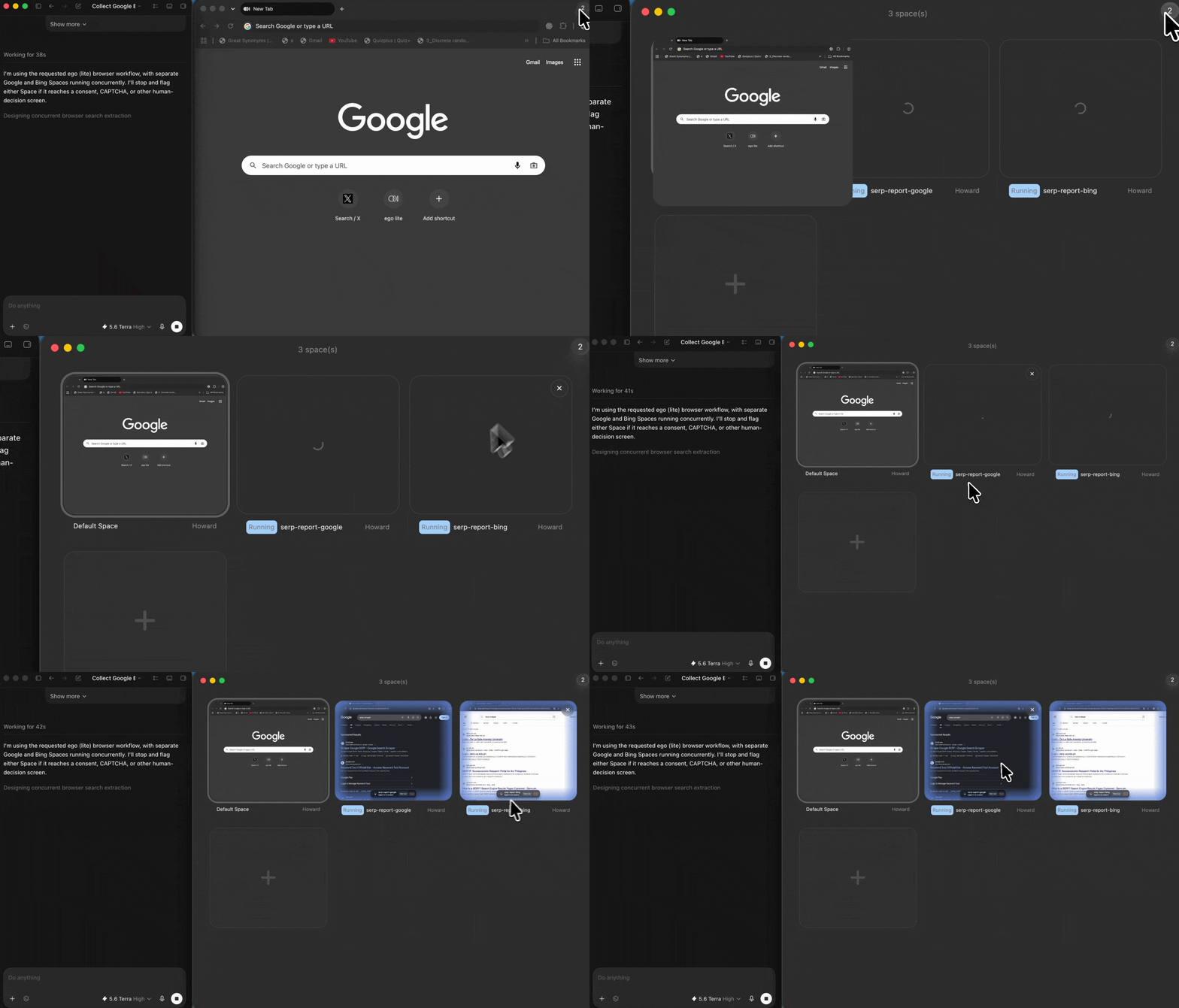
Install ego(lite), then give your agent a short prompt with the queries, the engines to check, the fields you need, and the rule to stop at any CAPTCHA or consent screen. The agent runs each query in its own ego(lite) Space, records the visible rank, title, URL, and snippet for as many results pages as you asked for, and returns a CSV or Markdown report. You can watch the Space while it works and take over whenever Google asks for a human decision.
Is there a free Google search scraper that still works?
The free options people remember mostly stopped working in January 2025, when Google began requiring JavaScript for Search and plain HTTP scripts started getting an enable-JavaScript page instead of results. Most tools now advertising "free" resolve to trials or small monthly credit packs. ego(lite) is free to download for Mac, and the work is done by the coding agent you already use, so the only cost is your agent's tokens. The trade-off is scale: it is built for bounded, supervised collection, not industrial crawling.
Why did my Python Google scraper stop working?
Two changes broke most of the do-it-yourself stack. In January 2025 Google made Search require JavaScript, so requests-plus-BeautifulSoup scripts and long-unmaintained packages in the GoogleScraper family stopped receiving results HTML. In September 2025 Google also removed the &num=100 parameter, so the old one-request top-100 pull now takes ten paginated requests. ego(lite) is unaffected by the JavaScript requirement because the agent works in a real rendering browser, but the pagination reality is one more reason to keep runs bounded.
Can it scrape Bing search results too?
Yes. Bing is just a second Space in the same run: the agent opens bing.com, runs the same query list, and records the visible results beside the Google rows for comparison. This matters more since August 2025, when Microsoft retired the entire Bing Search API family and left no official self-serve results API. Microsoft's terms still restrict automated access, so the same rules apply: a bounded list, a supervised pace, and a stop at any check Bing puts up.
Is ego(lite) a SERP API?
No. ego(lite) is a local Mac app, not a hosted SERP API. There are no endpoints, request quotas, or per-thousand-query billing. If you need to embed search results into production software at volume, a commercial SERP API is the built-for-purpose category, and the engines' terms on automated access apply to those vendors just as they do here. ego(lite) fits the other job: personal-scale research where you want to see the browser doing the work and verify every row.
Is SERP scraping legal?
Google's spam policies prohibit sending automated queries without permission, and Microsoft's Services Agreement restricts automated access to Bing. Separately, U.S. courts have declined to treat viewing public web data as computer intrusion in cases like hiQ v. LinkedIn, but such rulings do not erase the engines' terms. This is not legal advice: keep collection small, supervised, and bounded, and you are responsible for how you use what you collect.
Will Google show a CAPTCHA or block the run?
It can. Google shows an unusual-traffic page or CAPTCHA when query patterns look automated, and consent screens appear in some regions. This workflow lowers the odds by moving at a visible, supervised pace on a small bounded list, but it cannot promise the check never appears, and it will not bypass one. When a check appears, the agent stops in that Space, records the status, and hands the browser to you to decide what happens next.
Can it track keyword rankings every day at scale?
No, and this page will not pretend otherwise. A run is bounded by the query list you provide: think a few dozen queries producing hundreds of source-linked rows in a supervised session, not thousands of keywords refreshed on a schedule. Dedicated rank trackers are the category for daily tracking, and even their costs multiplied after Google removed &num=100 in September 2025. This workflow is for bounded research you can read, check, and stand behind.
How do I track keyword visibility in AI search engines?
Use a fixed query set and record one timestamped snapshot per platform or feature: the exact query, whether an AI answer appeared, whether the brand or domain was mentioned, cited URLs, citation context, answer position when the interface exposes one, locale or session context, checked_at, and access_status. Compare like-for-like runs over time. Do not collapse these observations into a universal AI rank: models, query fan-out, session context, and displayed links can vary between runs.
Does Search Console report a separate AI Overview ranking?
Google says sites appearing in AI features are included in overall Search Console traffic and the Performance report. A visible browser snapshot can preserve which AI Overview or AI Mode links appeared for a query at check time, but it cannot reveal private Search Console data or turn overall reporting into a separate universal AI-ranking position. Use verified Search Console data for your own property and browser observations for visible evidence.
Can it extract just the URLs from search results?
Yes. If you only need a Google URL scraper, ask for engine, query, rank, and result URL and drop the other fields. The agent returns a clean URL list that still keeps its provenance columns, so you know which query and results page each URL came from and when it was checked. That list can feed a follow-up task, such as having the same Agent open each URL for deeper research.
Does it record ads, People Also Ask, and related searches?
Yes, when they are visible on the results page. Each row carries a block type, so labeled ads stay separated from organic results, and People Also Ask questions and related searches are recorded as displayed. The agent never clicks ads. Fields a results page did not show for a query stay marked unavailable rather than being filled in from guesswork.
Can I scrape Google AI Mode with an AI agent?
An agent can record the AI Mode answer text, visible citations, and displayed links when AI Mode renders in the authorized browser session. Keep the original query, source URLs, checked-at time, locale or session context, and access status with each capture, then verify important claims against the linked pages because AI Mode responses can change or contain errors. This workflow does not provide API access, a stable schema, bulk rank tracking, hidden data, or a way around sign-in, CAPTCHA, or traffic checks.
Will my results match what other people see?
Not exactly, and no honest SERP tool can promise that. Google and Bing shape results by locale, language, search settings, and sign-in state, so the report records what a real user in your chosen browser context sees, with a checked-at time on every row. That is the point for verifiable research: you can reopen any source URL in the same session and check the row. For a different vantage point, run the list again in another context you are authorized to use.
How do I get more than 10 or 100 Google results after num=100 was removed?
Treat the results page as paginated data, not a hidden num=100 switch. Run a bounded number of normal result pages, record the page number and rank exactly as displayed, deduplicate URLs, and stop when the requested depth is reached or Google presents a traffic check. If you need sustained rank tracking, use a provider or API that has permission and an explicit quota; do not send high-volume automated queries or try to bypass a limit.
Can I use a SERP scraper for Google Maps local-business leads?
A browser workflow can record the Google Maps listings, categories, displayed address, phone, rating, review count, and canonical profile URL that your authorized session visibly shows. Keep the query, location, checked-at time, and source URL beside each row, validate fields before outreach, and respect Google's terms and local privacy and marketing rules. It should not harvest private contact details, bypass Maps controls, or send cold messages automatically.
How would an n8n, Sheets, and Gmail SERP workflow work?
Use n8n or another orchestrator to pass a small, validated query list to the browser run, write the source-linked CSV into a review sheet, and generate Gmail drafts—not automatic sends—from approved rows. Include engine, query, rank, URL, checked-at time, access status, and a deduplication key. Add a human approval node before any outreach and stop the run when a consent, CAPTCHA, or unusual-traffic page appears.
How can I reduce SERP blocks and HTTP 200 empty results?
A 200 response can still be a consent, challenge, or empty-result page, so validate the DOM for expected result blocks and record the page state. Keep queries bounded, pace requests conservatively, cache unchanged results, use exponential backoff for transient failures, and stop on a traffic check. Do not rotate identities, proxies, or cookies to evade a limit; use an official API, licensed SERP provider, or written permission when your volume requires it.
How do I make Google or Bing SERP geo-targeting accurate?
Define the intended vantage point before collecting: engine, language, country, city or postal area, device, SafeSearch, and sign-in state. Apply those settings in the authorized browser context, record them with every run, and compare a known local query before trusting the output. A VPN or proxy can change one network signal but does not guarantee the same ranking, and it must not be used to evade access controls.
How do I get the full article text after a search API returns only snippets?
Separate discovery from extraction: first save the result title, URL, snippet, and rank, then open only the selected URLs and extract the readable article or requested fields. Preserve the canonical URL, capture time, extraction method, and a raw-response pointer or hash; respect robots, paywalls, terms, and copyright. A SERP row is not evidence of the full page, and an extractor should mark blocked or low-confidence content unavailable rather than guessing.
How should I store and export SERP ranking history long term?
Store one immutable observation per engine, query, locale, device, rank, URL, result type, checked-at timestamp, and access status, with a schema version and run ID. Export CSV for analysis and Markdown or JSON for review, but retain raw snapshots or hashes and validation logs so a ranking change can be reproduced. For daily thousands-of-keywords tracking, choose a dedicated provider with documented retention and quotas rather than stretching a supervised browser workflow beyond its scope.