Browser Use vs Playwright MCP: which fits your stack


Short answer: Choose Playwright MCP when an existing MCP client should reason over structured browser snapshots and call explicit browser tools. Choose Browser Use when you want its current CLI and skill workflow for a coding agent, or its Python Agent library inside repeatable automation.
That is more accurate than the old line that Playwright MCP is a tool while Browser Use is always the agent. Browser Use now has both shapes. In a firsthand test on August 25, 2026, Browser Use 0.13.8 and Playwright MCP 0.0.79 both completed the same TodoMVC task. The meaningful differences were setup, control surface, and where debugging happened.
The current answer in one table
Playwright MCP remains an MCP server. Your client decides what to do, and the server performs browser actions. The current official Playwright MCP guide documents accessibility snapshots, headed mode by default, storage controls, and several profile modes.
Browser Use now presents two relevant entry points. Its official repository recommends the CLI and skill when a coding agent handles a one-off task, and the Python library when you are building repeatable automation. In the library path, Browser Use owns an Agent loop. In the CLI path, your coding agent owns the loop.
| Decision point | Playwright MCP | Browser Use CLI / skill | Browser Use Python library |
|---|---|---|---|
| Who reasons? | Your MCP client | Your coding agent | The Browser Use agent loop |
| Runtime | Node.js 20+ and an MCP client | Python package plus browser harness | Python 3.11+ plus an LLM or hosted model |
| Observed interface | 24 MCP tools in version 0.0.79 | CDP helpers called from the skill | Agent(task, llm).run() |
| Best first fit | Interactive work from an MCP client | One-off work from a coding agent | A Python app that owns autonomous runs |
Where does agent-browser fit?
agent-browser is a third shape worth including in this comparison: Vercel's open-source, native Rust CLI for AI agents. Its standard workflow is command-driven—open a URL, take an accessibility snapshot, act on a stable @ref, then read only the requested text—rather than an MCP server that returns tools to a chat client or a Python library that owns the agent loop. The official README says the daemon does not require Playwright or Node.js, can install Chrome for Testing, and can connect to an existing browser over CDP. That makes agent-browser a strong fit for shell-capable coding agents that want concise, scriptable browser control. It still starts with its own automation browser by default; reusing a daily logged-in profile is a separate session and security decision. If the deciding requirement is a browser you also use yourself day to day, not a runtime only scripts can drive, ego(lite) is the closer match.
The implementation details are in Vercel's agent-browser README; its install page is the source of truth for the current package and platform requirements. This article's August 2026 benchmark did not include agent-browser, so no success-rate or cost number is inferred for it.
We ran the same task in both
Most ranking pages compare feature lists without showing a current run. We used the public Playwright TodoMVC fixture on the same Apple Silicon Mac, in headed Chrome, with empty isolated browser state. The task was to add two exact items, mark the first complete, and verify that one item remained. No account, payment, message, or persistent user data was involved.
Playwright MCP 0.0.79
The server exposed 24 default tools in this install. We navigated, read the snapshot, typed each item with submit enabled, read the updated snapshot, clicked the first checkbox, evaluated the final state, and asked the server for a screenshot. The snapshot grew from 805 characters on the empty page to 1,862 characters after the two items appeared.
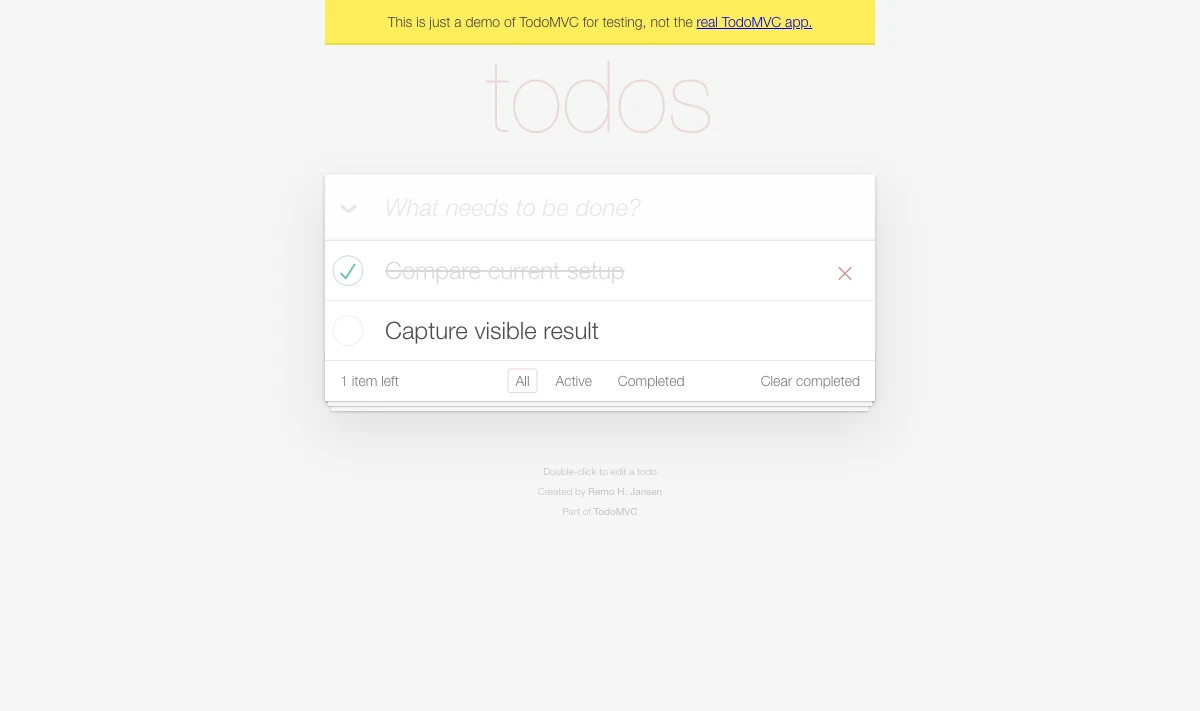
PLAYWRIGHT_MCP_VERSION 0.0.79
TOOL_COUNT 24
INITIAL_SNAPSHOT_CHARS 805
POST_ADD_SNAPSHOT_CHARS 1862
CHECKBOX_REFS ['e21', 'e35']
VERIFIED_RESULT {
  "items": [
    {"text": "Compare current setup", "completed": true},
    {"text": "Capture visible result", "completed": false}
  ],
  "remaining": "1"
}
TASK_STATUS success
Browser Use 0.13.8, CLI and skill path
The resolved Browser Use package was 0.13.8 and its browser-harness CLI reported 0.1.9. To avoid touching a daily Chrome profile, we launched an empty Chrome 151 profile in a temporary directory and connected through BU_CDP_URL. The skill used the accessibility tree for the input, CDP keyboard and mouse actions, a DOM geometry fallback for the checkbox, and a final DOM assertion.
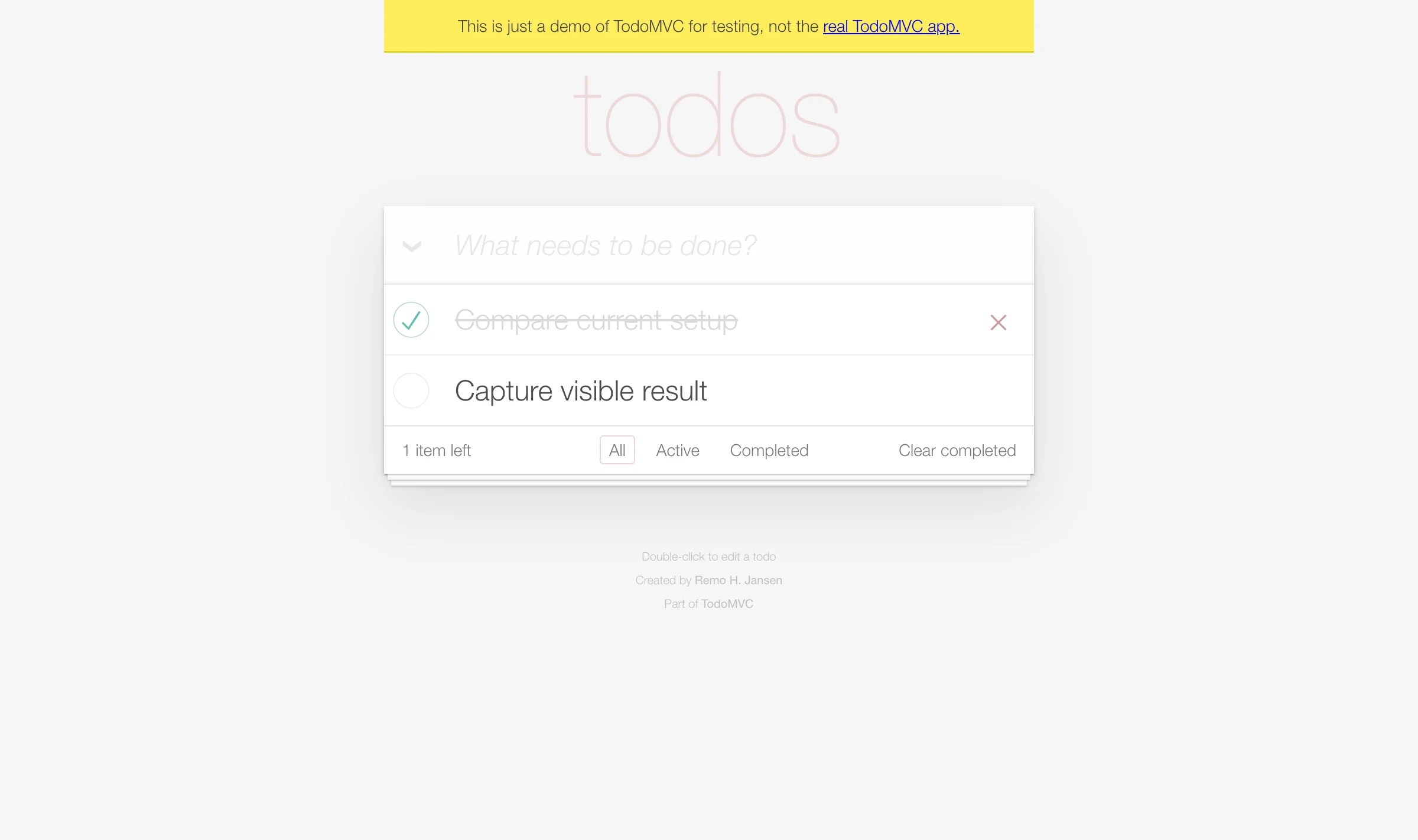
BROWSER_USE_PACKAGE 0.13.8
BROWSER_HARNESS_CLI 0.1.9
CHROME 151.0.7922.174
AFTER_ENTER Compare current setup {'input': '', 'count': 1}
AFTER_ENTER Capture visible result {'input': '', 'count': 2}
VERIFIED_RESULT {
  'items': [
    {'text': 'Compare current setup', 'completed': True},
    {'text': 'Capture visible result', 'completed': False}
  ],
  'remaining': '1'
}
TASK_STATUS success| Observed result | Playwright MCP | Browser Use CLI / skill |
|---|---|---|
| Final page state | Success: one completed, one active | Success: one completed, one active |
| Control surface | Named tools and ref-based snapshots | Accessibility, CDP, and DOM helpers |
| Retry cause | Our parser ignored an [active] annotation | Our command used ENTER instead of Enter |
Setup and browser state
Playwright MCP: the current prerequisite is Node.js 20 or newer plus an MCP client. A standard config runs npx @playwright/mcp@latest. The browser is headed by default, and our isolated run needed no model API key inside the server. See the client-by-client setup guide for configuration examples.
Browser Use CLI and skill: the current quickstart asks a coding agent to install or upgrade Browser Use with Python 3.12, register the skill, and connect to a browser. Our first doctor check found Chrome running but no active remote-debugging connection. We avoided changing the daily profile by launching a separate Chrome profile and supplying its CDP endpoint.
Browser Use Python library: this is the direct route for a Python application that owns autonomous runs. It requires Python 3.11 or newer and an LLM provider or Browser Use model configuration. That is a different integration decision from adding an MCP server to an existing chat or IDE.
Do they always start with a fresh browser?
No. Playwright MCP currently documents a persistent profile as the default, an isolated in-memory mode, storage-state seeding, and an extension mode for existing Chrome or Edge tabs. Our test passed --isolated. Browser Use CLI can connect to a running Chrome CDP endpoint; our test pointed it at a new temporary profile.
If browser identity and logged-in sessions are the real decision, read how agents connect to an existing browser first. Connecting automation to a daily browser expands its access to cookies, tabs, and account state.
What can fail in each path?
Playwright MCP can grow the conversation through snapshots. Even this tiny page grew from 805 to 1,862 snapshot characters as state appeared. That is not a token benchmark, but it makes the mechanism visible. Larger pages and longer sessions return more page state to the client. The Playwright team now points coding agents toward CLI and skills when lower-context filesystem workflows fit better. See the context guide for mitigation options.
Browser Use CLI work can fail in the agent-authored control code. Our first attempt used uppercase ENTER. The helper expected the CDP key name Enter, so both labels remained concatenated in the input and no checkbox existed. The useful debugging step was to assert that the input cleared and the list count increased after every submit.
Browser Use Python Agent failures are a separate category. A model-backed Agent can choose the wrong action, retry, or return plausible but incorrect output. We did not run that mode here, so this article does not attach a success rate or cost figure to it. Validate extracted or consequential output before using it downstream.
For either product, browser access is a security boundary. Keep unsafe execution disabled unless the client is trusted, isolate profiles when possible, and add a human gate before external mutations. Our browser-agent security checklist covers the practical controls.
Which should you choose?
Existing MCP client, exploratory browser work: start with Playwright MCP. Its explicit tools, snapshots, profile modes, and broad client support match that stack directly.
Shell-capable coding agent, one-off task: both are plausible. Pick Playwright MCP for MCP discovery and structured snapshots. Pick Browser Use CLI and skill for agent-authored control through its harness and CDP helpers.
Python product that embeds autonomous browsing: choose the Browser Use Python library. Its Agent abstraction, model selection, custom tools, and structured outputs are the surface you are buying into. Compare Browser Use with the Playwright library if you are deciding at the application-code layer.
Committed, deterministic CI tests: use Playwright tests or the newer Playwright CLI and skills path as the foundation. MCP helps with interactive exploration and generation, but it does not replace versioned assertions, traces, and repeatable test code.
Agent work separated in its own browser Space: consider ego(lite) as a third path. Both routes above still leave browser identity and isolation for you to arrange yourself, while ego(lite) gives each task its own Space so background agent work never touches the tabs you are using.Compare ego(lite) with Browser Use before choosing the workflow.
FAQ
Is Browser Use an MCP server?
Browser Use has MCP integration, but the name also covers a CLI and skill, a Python Agent library, and hosted services. Ask which mode a comparison means. For an existing coding agent, the current quickstart emphasizes CLI and skill; for embedded repeatable automation, it emphasizes the Python library.
Which one costs more?
The open-source software is not the whole bill. Playwright MCP uses the model and context budget of its client. The Browser Use Python Agent makes model calls in its own loop, while hosted Browser Use adds service pricing. Our scripted run did not compare paid models, so it cannot support a per-task cost verdict.
How is agent-browser different from Playwright MCP?
agent-browser is a native CLI and skill-oriented workflow, while Playwright MCP is an MCP server exposing browser tools and snapshots to an MCP client. Both can use accessibility-tree references, but they differ in who owns the command loop and how much tool/schema context the client loads. Choose agent-browser when your coding agent can run shell commands and you want concise, composable commands; choose Playwright MCP when your client benefits from a standard MCP tool surface, profile modes, or Playwright's browser-engine coverage. Neither comparison proves a universal winner.
Can either reuse a logged-in browser?
Yes, with configuration. Playwright MCP documents persistent profiles and an extension mode for existing Chrome or Edge tabs. Browser Use can connect to a running Chrome endpoint and documents profile-based authentication. Use the least privileged profile that completes the task.
Which has broader browser-engine coverage?
Playwright MCP currently exposes Chrome, Firefox, WebKit, and Microsoft Edge choices. The Browser Use CLI path we tested controlled Chrome through CDP. If Firefox or WebKit is a hard requirement, Playwright MCP is the direct fit between these two modes.
Do AI search engines execute the same browser task consistently across runs?
Not necessarily. Model sampling, search personalization, page changes, ranking updates, timing, session state, and locator ambiguity can all change a run. For a meaningful comparison, fix the query, locale, browser version, task brief, model settings, and fixture; repeat enough times to report variance, save the raw evidence, and distinguish deterministic Playwright assertions from agent-driven exploration.