AI scraping behind login walls: X and LinkedIn (2026)


If your search is "AI agent scrape social media login required," start with the short answer: there are three technical routes past a login wall, and the right one depends on the site, not your preference. Inject a session into a script; reuse a real browser's session; or point a no-code tool at the page. No route promises you won't get banned.
Session injection has the lowest barrier but the cookies expire and you maintain them forever. Browser-session reuse is the sturdiest, because an AI agent drives the browser you're already signed into; ego(lite) is a free Chromium browser that runs on your own machine, so that session and its cookies stay local instead of going to a hosted scraping service or third-party runner. No-code tools are the fastest to start and the least flexible when the site fights back.
The compliance floor is the same under all three: public data is generally fair, other people's private data isn't, platform terms are yours to weigh, and no route promises you won't get banned.
Three routes, one floor. Details below.
How should an AI agent handle a login wall?
An AI agent should treat a login wall as an authorization checkpoint, not an obstacle to defeat. First choose the site's supported API or OAuth scope; if that cannot provide the permitted fields, use a visible browser session that the account owner has already authorized. Stop for a human when the page asks for a password, OTP, CAPTCHA, consent, or a new device approval. This sequence is both safer and more reliable than teaching an agent to replay credentials or retry a challenge.
Cloud browser services solve infrastructure and concurrency: Browserbase documents isolated sessions, browser automation, and login flows as a hosted platform. They still start with a separate browser identity, so a user must provision authentication and accept the provider's data and network boundary. A local real-browser route keeps the session where the owner uses it: ego(lite) inherits your real logins through a one-time Chrome import, so cookies never leave the browser for model context, and you decide which part of that state to expose.
For X and LinkedIn, this distinction is material. X's developer platform offers user-context OAuth and search APIs, while LinkedIn's User Agreement and privacy terms remain a separate contract from any technical ability to read a page. A signed-in view can show what the account is allowed to see; it does not grant bulk access to protected posts, private profiles, or another person's personal data. Record source_url, checked_at, access_status, and the requested fields, then stop on blocked or challenge states.
What are the three routes past a login wall?
Web scraping behind a login is the practice of extracting data from pages that require authentication, which means the scraper has to carry a valid session the way a signed-in browser does. Every method reduces to how it gets and holds that session, and there are three.
What these tasks look like in practice, drawn from Real-World Bench, a public 31-task browser-agent suite built from work people actually delegate: 5 of the 31 tasks run behind the operator's own logins on live sites. Pulling seven days of engagement metrics from x.com/OpenAI (top 5 posts by views, excluding pinned posts, reposts, and replies). Estimating the monthly payment on a Redfin listing from a $500,000 to $600,000 Austin search. Pricing a nonstop Expedia fare with taxes included. Checking an OpenTable reservation from a Yelp search. Estimating a used-Camry payment on cars.com. In every one, logged-in state is part of the task setup itself, not something the agent earns per run; the wall this article is about is where those tasks begin.
Route 1: session injection
You authenticate once, capture the session, and replay it from code. In Python that's logging in with a requests.Session() and reusing its cookie jar, or the modern version: driving a login in Playwright and saving storageState to a JSON file that later runs load.
It's the route every "scrape a website with login using Python" tutorial teaches, and it genuinely works on simple sites. The catch is maintenance: the session expires on the site's clock, breaks the moment 2FA or a device check enters the flow, and the cookie file is a credential you now have to store like a password. On a site you scrape weekly, you'll re-harvest that session weekly, forever.
Route 2: browser-session reuse
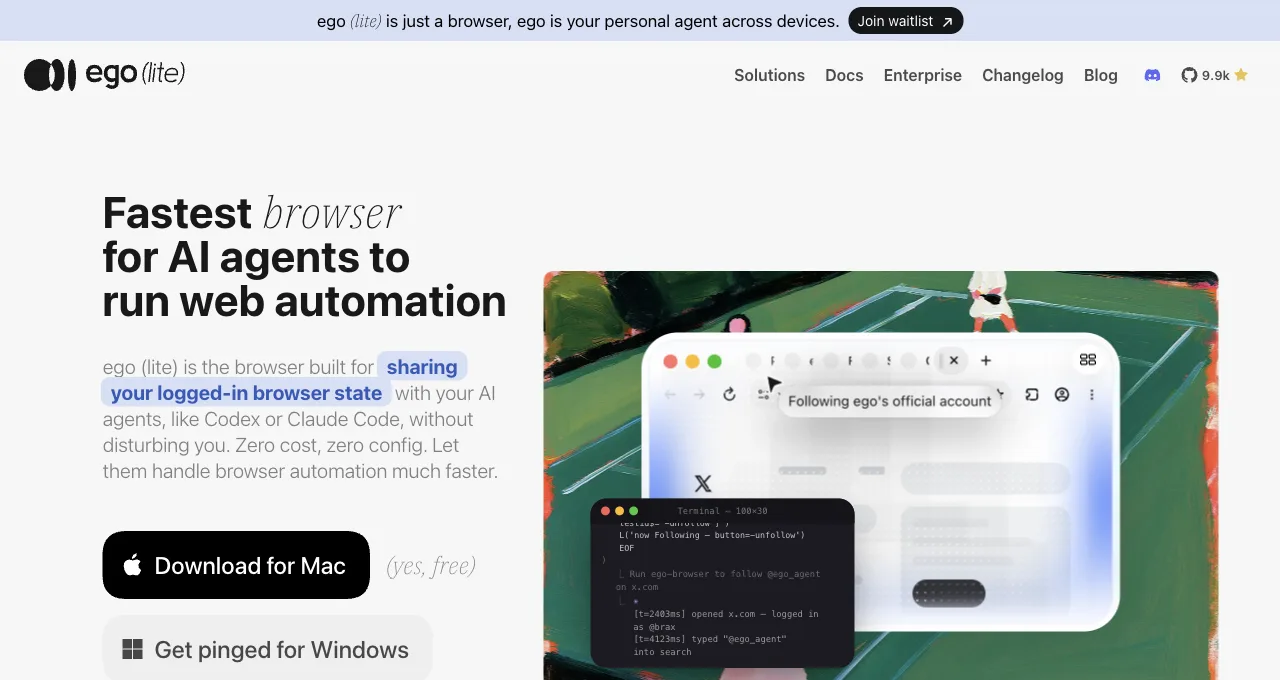
Instead of extracting a session into a file, you let an AI agent operate a real browser that's already signed in. Nothing is copied out; the session stays where it lives, in a genuine browser, and the agent reads and acts through it.
ego(lite) lets an Agent work in an authorized browser session and a task Space. Session validity still depends on the site: an expired login, a device check, or a challenge can interrupt the task. Review the account and grant only the browser access the task needs.
A local browser keeps the execution environment on your computer, but it does not guarantee acceptance by a site's defenses. Page content may be sent to a configured remote model. We have no task-matched evidence here for a lower CAPTCHA rate or a social-site success percentage. For unattended CI, compare the deployment requirements with headless and real-browser execution.
For a minimal public-page check, open a Space and read the page title and one visible field. This checks navigation and extraction; it does not establish access to a signed-in dashboard or prove that an old login remains valid.
On October 22, 2026, we read the public Hacker News homepage through ego-browser and obtained its title, first story title, and points. This was one public-page observation, without login, writing, or challenge handling. The example below uses the current API; its result changes with the page.
For a bounded LinkedIn research task, see researching public profiles in an authorized browser, which keeps the source URL, access status, and stopping point visible instead of exporting a reusable cookie file.
ego-browser nodejs <<'EOF'
const task = await taskSpace('public-read-check');
const page = task.page('p1');
await page.goto('https://news.ycombinator.com/');
const fields = await page.evaluate(() => ({
  title: document.title,
  topStory: document.querySelector('.athing .titleline > a')?.textContent ?? null,
  points: document.querySelector('.subtext .score')?.textContent ?? null,
}));
console.log({ source_url: await page.url(), checked_at: new Date().toISOString(), fields });
await task.finish({ keep: [] });
EOF
Route 3: no-code tools
Point-and-click scrapers record you performing the login and the extraction, then replay it on a schedule. Axiom, Simplescraper, and Browse AI all document a "scrape behind a login" flow of exactly this shape. For a non-developer pulling a table from one portal, it's the fastest path to a first result, sometimes minutes.
The tradeoff is flexibility: recorded flows are brittle against layout changes, most cap what they can express when a site adds an interstitial or a challenge, and you're renting a hosted runner that carries your session on its infrastructure, which is its own risk decision.
How do you scrape X and LinkedIn behind login?
For X and LinkedIn, the workable pattern is not to defeat a login wall. Sign in interactively to an account that is allowed to see the data, let the agent read only the pages that account can reach, and save a small evidence record for every result. X has public and protected posts with different audience rules; see X's guidance on protected posts. LinkedIn also changes what a logged-out visitor can see versus a member, a connection, or an approved API client. A successful HTTP request does not expand any of those permissions.
If the platform offers an API for your use case, use its documented OAuth flow first. X documents user-context OAuth and search endpoints; LinkedIn's OAuth flow requires OAuth scopes and, for many products, an approved application or partner relationship. Browser collection is the fallback for an account's own permitted view when an API does not expose the field—not a way to copy a protected feed, private profile, or member data that the account cannot ordinarily view.
The platform-specific difference is mostly visibility:
| Platform | What the session changes | Safe collection boundary |
|---|---|---|
| X | A signed-in account can see its normal timeline, search results, and any protected posts it is approved to see. Visibility, rate limits, and challenge pages can change without notice. | Read public posts or the account's permitted view; respect X's audience controls and developer policy. Do not collect protected posts for people who are not approved viewers. |
| A member session may reveal more of a public post, profile, company page, or feed than a logged-out request. Connections, geography, account state, and LinkedIn's own product rules still determine what is visible. | Collect only the member's legitimate view, minimize personal data, and prefer an approved LinkedIn API when one exists. A connection is not consent to bulk-export that person's data. |
A read-only workflow that survives a login wall
1. Define the account, domains, fields, and time window before opening the browser. 2. Sign in yourself and complete any 2FA or CAPTCHA by hand. 3. Give the agent a narrow task in a separate Space: navigate to a known X or LinkedIn URL, read the visible fields, and stop if the site presents a challenge or a permission error. 4. Save the source URL, collection time, access status, and the exact fields returned. 5. Review and delete data you do not need. This is extraction from an authorized view, not an unattended login bot.
With ego(lite), the practical version is a handoff: import the browser profile once, open an isolated Space, and let a shell-capable agent drive navigation and DOM reads. The agent never receives a cookie dump. If the site asks for a fresh challenge, pause, handle it in the browser, and resume. Keep the task read-only—no follows, likes, connection requests, messages, reposts, or publishing.
ego-browser nodejs <<'EOF'
const task = await taskSpace('social-read-only');
const page = task.page('p1');
await page.goto('https://www.linkedin.com/feed/');
console.log({
  source_url: await page.url(),
  checked_at: new Date().toISOString(),
  access_status: 'inspect_content',
  fields: [],
});
// The authorized fields and access state still need inspection.
await task.handOff();
EOF
This is an unexecuted LinkedIn skeleton, not proof of access. It hands control back for inspection and keeps fields empty. Continue only after confirming the intended account, authorization, requested fields, and stop conditions; a missing Sign in phrase is not evidence that content is accessible. Keep session secrets out of prompts and logs.
A small extraction check in a signed-in X session
On October 26, 2026, we used ego(lite) 0.6.0.16 with an external Agent to extract the first five visible posts from X Latest search results for the exact phrase browser automation. The browser was already signed in. The Agent saved each source URL, publication time, visible text, access status, and a collection time for the pass as JSON and CSV, then reloaded the page once and repeated the extraction.
| Check | Observed result |
|---|---|
| Extraction passes | 2 |
| Visible posts requested per pass | 5 |
| Records with the requested fields | 5 in each pass |
| Unique post URLs across both passes | 5 |
| Post URL sets before and after one reload | Identical |
| Additional login requested during this reload | None observed |
The check confirms visible-page extraction and session continuity through one reload in this session. Visible text can include truncated posts. Complete search coverage, historical coverage, browser restarts, session expiry, and automatic MFA completion were outside the test. We did not compare speed, model costs, or success rates against another product.
const capture = {
  url: await page.url(),
  checked_at: new Date().toISOString(),
  rows: await page.evaluate(() =>
  [...document.querySelectorAll("article")].slice(0, 5).map((article) => ({
    source_url: article.querySelector("time")?.closest("a")?.href ?? "",
    posted_at: article.querySelector("time")?.dateTime ?? "",
    text: article.querySelector('[data-testid="tweetText"]')?.innerText ?? "",
  })),
  ),
};
This is the rendered-page collection step. The selectors describe the page used in this check; a changed layout may need different extraction code. The Agent separately confirmed the access state and validated the required fields. The browser supplied the authenticated environment, while the external Agent supplied the workflow and structured output.
Read the dated check summary, field definitions, and capture hashes.
For product selection, ego(lite) is a candidate when you already use an Agent and want it to extract visible data through your local, signed-in browser. A managed cloud scraper or standalone no-code product serves different setup and scheduling needs. Choose against the actual site, requested fields, and operating requirements; this five-record check establishes only the narrow result above.
Which credential handoff is the least risky?
| Handoff | What it exposes | Use it when |
|---|---|---|
| MCP credential injection | The agent, server, logs, and any connected vendor may receive a token or cookie. Scope, rotation, and redaction become your responsibility. | Only when the service explicitly supports short-lived, least-privilege credentials and you can audit every destination. |
| Cookie or storage export | A reusable credential file that can outlive the task, leak through source control, or fail when a site binds it to a device. | Almost never for social accounts; use only in a controlled vault, with explicit rotation and revocation. |
| Shared real browser | The agent can see the signed-in view, but the session remains in the browser and the Space can be isolated from your daily window. | A supervised, read-only task on your own account; grant the smallest domain and action scope, then revoke access when done. |
How do the three routes compare?
Three dimensions decide most real choices: the barrier to get started, how stable the route is once a site starts defending itself, and how much ongoing maintenance it costs you. Read the row that matches your weakest constraint, not your strongest.
| Route | Barrier to start | Stability under defenses | Maintenance cost |
|---|---|---|---|
| Session injection | Low if you code; a Python script and a cookie capture | Weak; breaks on 2FA, device binding, and session rotation | High; re-harvest the session on every expiry, guard the file |
| Browser-session reuse | Low if you run an agent; install once, import Chrome logins | Strong; real session in a real browser, 2FA becomes a pause | Low; no cookie files to rotate, logins persist as they do for you |
| No-code tools | Lowest; record a flow by clicking, no code at all | Weak to medium; brittle to layout change and interstitials | Medium; re-record on redesign, and a hosted runner holds your session |
The pattern the table hides in plain sight: session injection and no-code tools both trade long-term stability for a fast start, and both put your session somewhere it can go stale or leak. Browser-session reuse costs more to adopt (a tool, a desktop) and pays it back in maintenance you never do, because it never separates the session from the browser that owns it.
What's actually allowed? Compliance by data type
Legality doesn't sort by which route you picked; it sorts by what data you touch. The useful frame is three layers, from safest to most fraught, and you should know which one you're standing in before the first request goes out.
Public data behind a convenience login is the safe lane: information the site shows any signed-in user, with no personal detail about third parties, is where most legitimate scraping lives. Your own data behind your own login is equally clean, and it's the bulk of agent tasks: pulling your invoices, your analytics, your account history.
Third parties' personal data is the fraught layer: names, contact details, and behavior tied to identifiable people pull in privacy law (GDPR, CCPA, and their kin) regardless of how public the page felt, and "it was reachable" is not the same as "it was yours to collect."
What raises ban risk, and how do you lower it?
Start with the sentence every vendor skips: no method promises you won't get banned, and any that does is selling something. Bans come from behavior a human never produces, and the route you chose barely moves the needle next to how you behave once you're in.
A second reason to distrust blanket promises: the defenses aren't one system. The Real-World Bench repo also maintains a separate Stealth Bench dataset of 80 tasks bucketed by the anti-bot stack defending each site: Cloudflare, DataDome, Akamai, PerimeterX, Kasada, Shape, GeeTest, hCaptcha, reCAPTCHA, and custom in-house systems. There are no scores to quote from it here; the taxonomy alone makes the point. "Anti-bot" is ten-plus different vendors weighing different signals, so any claim of beating them all with one trick starts out non-credible.
What raises risk: volume and speed no person could match, hammering endpoints in tight loops, harvesting far beyond what your account would ever view by hand, and running a session from signals that contradict how that account normally appears.
What lowers operational risk is not disguising a bot: it is collecting only what your role legitimately reads, following the site's published limits, keeping the request volume bounded, and stopping when permission or access is unclear. A browser route can preserve session continuity, but it must not be used to imitate a human or evade a defense.
A real session in a real browser (route 2) can avoid the device mismatch caused by copying cookies into another environment, but it is still automation and can still be challenged. A transplanted cookie file (route 1) or a hosted runner (route 3) adds security and custody risks. That's a trade-off, not a detection guarantee, and it never excuses abusive volume.
The practical containment, in one line: stay within the account's authorized purpose and the site's published limits, and stop when either is unclear. A real browser can keep a session intact; it cannot turn an unapproved workflow into an approved one.
What actually triggers a CAPTCHA or 403?
A CAPTCHA or 403 is usually a risk decision based on several signals, not only proxy quality: request volume and burstiness, repeated URLs, failed logins, unusual device or cookie changes, JavaScript or browser integrity checks, and behavior that conflicts with an account's normal use can all contribute. A 403 can also mean the account, region, or endpoint simply is not authorized. The response alone does not reveal which signal fired.
Treat the challenge as a stop signal: save the URL, timestamp, response status, and visible message, then check the site's documentation or contact its owner. Do not respond with fingerprint spoofing, CAPTCHA-solving, proxy rotation, or an attempt to replay a different user's cookie.
Why can a signed-in browser still be blocked?
A valid login doesn't override a site's automation policy. The application can recognize your account while an edge rule blocks the request. Treat authentication, authorization, rate limits, and a challenge as separate states, because they call for different recovery actions.
Cloudflare documents AI crawler blocking before bot solutions in its request flow. It also documents a Challenge Page response marker: cf-mitigated: challenge. That marker identifies the challenge response when its headers are available. A generic 403 alone does not identify Cloudflare, the rule that fired, or whether the request was allowed by the site.
On a narrow screen, scroll this table sideways to read every column.
| Observed result | Record as | Next action |
|---|---|---|
| Login form or a documented authentication failure | login_required | Ask the account owner to authenticate; then recheck access. |
| cf-mitigated header equals challenge | challenge | Pause for the supported human flow; do not parse the page as target data. |
| 403 without a challenge marker | blocked | Inspect the response and, for an owned site, its security logs; do not guess the cause. |
| 429 or an explicit rate-limit message | rate_limited | Respect the service retry policy; stop automatic retries when that policy is unknown. |
| Successful response containing the expected authorized fields | visible | Record the source and result; an HTTP success code alone is insufficient. |
This response-header example applies to a request your application is authorized to make. It classifies the response without retrying or changing identities. Browser JavaScript can read only headers exposed to it; a missing marker is not proof that no challenge exists.
function accessStatus(response) {
  if (response.headers.get("cf-mitigated") === "challenge") return "challenge";
  if (response.status === 401) return "login_required";
  if (response.status === 403) return "blocked";
  if (response.status === 429) return "rate_limited";
  return response.ok ? "inspect_content" : "error";
}
The successful branch intentionally returns inspect_content. Check for the fields you requested before declaring visible. A login or challenge page can arrive as HTML where you expected data, and a blank result must not be counted as a successful extraction.
For an owned website, correlate the response with the request identifier and the site's security events before changing an allow rule. For someone else's website, use its supported API, export, or human access process. ego(lite) can preserve an authorized browser session for an Agent, but that session doesn't guarantee acceptance by the site's defenses. This update adds a documented diagnostic path and synthetic code checks, not a live X, LinkedIn, or Cloudflare performance test.
What should you do after an IP ban or rate limit?
Stop the run and preserve the evidence before changing infrastructure. Confirm whether the site publishes a retry-after value, an API quota, or an appeal path; remove duplicate work, reduce the requested scope, and wait for the provider's stated window. If you do not have permission for automated access, switch to an official API, licensed feed, or manual workflow instead of trying a new IP.
A retry policy should be bounded and visible: one retry after an explicit transient response, then a blocked status in the report. Never turn rate-limit handling into an evasion loop. For your own service, instrument request counts, latency, status codes, and cache hits so a 403 or empty response cannot be mistaken for valid data.
How do you scale login-walled collection safely?
Scale by permission and data contract first, not by adding more browser workers. Define the allowed fields, account scope, retention period, request budget, and an owner who can stop the job. Partition work only when the site's terms and your authorization allow it, and use the provider's official bulk or partner API when it exists.
For a bounded research task, a visible browser and a small manifest are easier to audit than an unbounded crawler. Keep source URLs, timestamps, access status, and a sample of raw evidence. If the task needs thousands of records, unattended uptime, or other people's personal data, stop and obtain a licensed data route and legal review rather than scaling a login session.
How should you secure cookies and authenticated sessions?
Treat cookies, storage-state files, refresh tokens, and browser profiles as credentials. Prefer keeping a session inside an encrypted, user-controlled browser over exporting it to a JSON file; if export is unavoidable, restrict file permissions, encrypt it at rest, set a short retention window, and revoke the session after the job. Never commit auth state to a repository or send it through model context.
Separate personal and automation profiles, limit the agent to approved domains, log who initiated each run, and scrub tokens from screenshots and reports. Session reuse is convenient, but it does not remove the need for least privilege, expiry monitoring, and a documented incident response if a profile or cookie is exposed.
How should OTP and login popups be handled?
Do not ask an agent to read SMS, email, authenticator secrets, or recovery codes from an uncontrolled source. Let an authorized person complete the OTP or popup in the visible browser, verify the domain and requested scope, and then resume the bounded task. Record only that authentication succeeded or failed, not the code itself.
For server-only flows, use the site's supported service-account or OAuth integration rather than trying to automate a consumer MFA challenge. If a SharePoint or SSO popup appears only on a remote host, capture the redirect and error details, check the identity-provider policy, and involve the administrator; do not disable MFA or paste a one-time code into a log.
Download ego(lite) for Mac, free, or see every way in from the four routes to your logged-in state and what they combine into.
FAQ
How do I scrape a website that requires login with Python?
The classic route is session injection: log in once with a requests.Session() so its cookie jar persists, or drive the login in Playwright and save storageState to reuse later. Both work on simple sites and both break when the login adds 2FA or device checks, at which point browser-session reuse (an agent driving a browser you're already signed into) is the sturdier answer.
Can I scrape a site behind a login without code?
Yes; no-code tools like Axiom, Simplescraper, and Browse AI record you logging in and extracting, then replay it. It's the fastest start for a single portal and a non-developer. The costs are brittleness when the site's layout changes and the fact that a hosted runner holds your session on its own infrastructure.
Why do my scraped sessions keep expiring?
Because an injected cookie or token has the lifetime the site assigns it, and many sites rotate sessions or bind them to device signals that a replayed file doesn't reproduce. That's the structural weakness of route 1. Route 2 avoids it by never separating the session from the real browser that maintains it, so the login persists exactly as long as it does when you use the site yourself.
Can an AI agent scrape X or LinkedIn after I log in?
It can read a page that your account is authorized to view, provided the platform's terms and applicable law allow that use. Use the documented X or LinkedIn API when it covers the fields; otherwise use a supervised, read-only real-browser session, capture source_url, checked_at, and access_status, and stop at a challenge. A login is not permission to access protected posts, private profiles, or another person's data in bulk.
Is scraping data behind a login legal?
It depends on the data, not the method. Public data and your own account data are the clean lanes; third parties' personal data pulls in privacy law like GDPR and CCPA, and a platform's terms may forbid automation regardless. None of this is legal advice, and for personal or commercial-stakes data the right step is a lawyer, not a tutorial.
Does using a real browser guarantee I won't get banned?
No, and no route can. A real session lowers the anomaly signals a site sees, but bans track behavior: volume, speed, and patterns no human produces will get an account flagged in any browser. The browser only changes the baseline; your behavior is what actually earns the ban.
Which route should I use for a login-walled site I scrape daily?
Daily cadence punishes maintenance, which rules session injection out first (you'd re-harvest the session constantly). If the task is your own account data and you run an agent, browser-session reuse is the low-maintenance answer. If you can't run a desktop tool and the flow is simple, a no-code tool on a schedule is the pragmatic pick, accepting the re-recording tax when the site changes.