





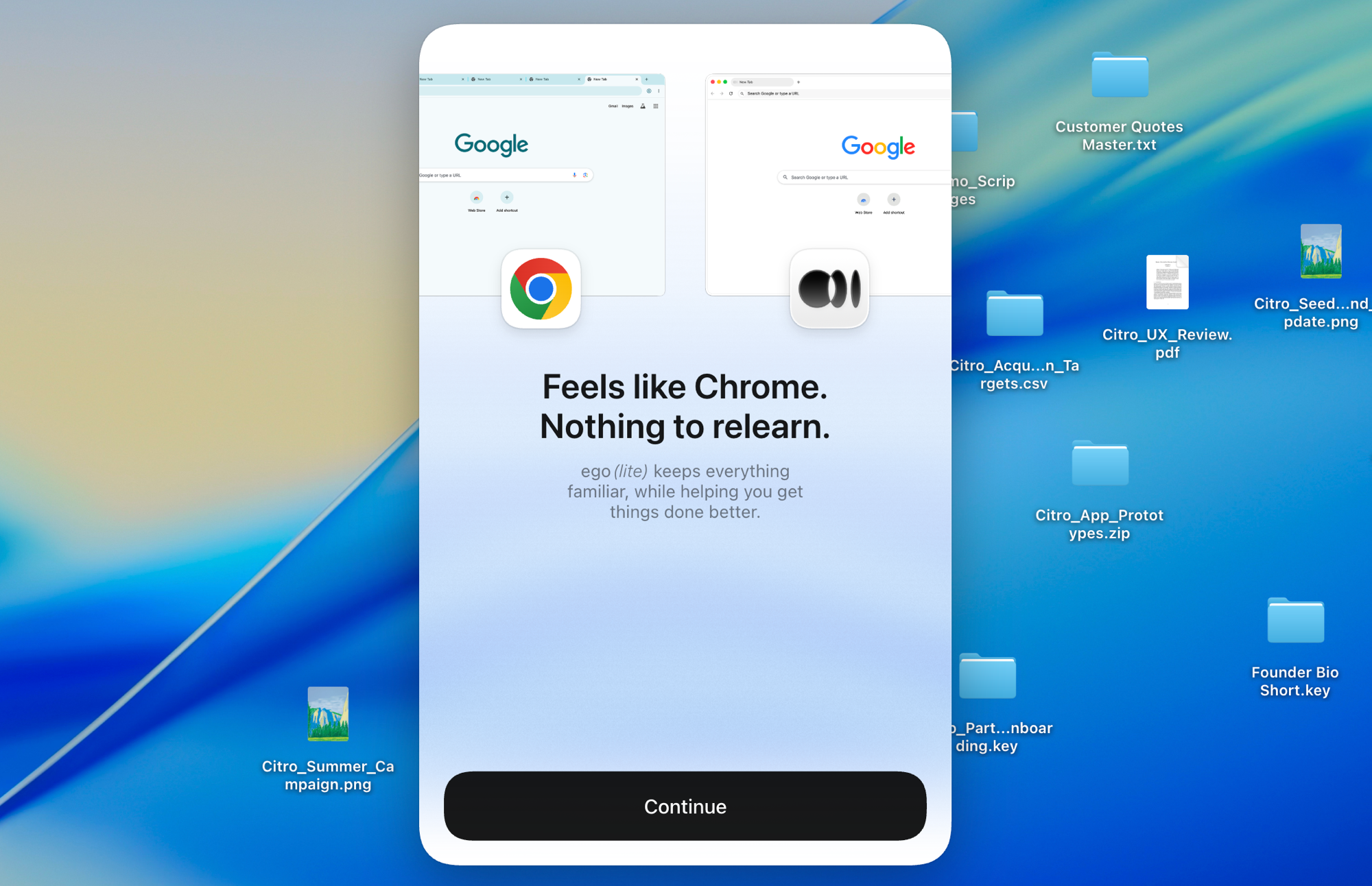
ego (lite)는 그저 브라우저일 뿐이고, ego는 여러 기기를 넘나드는 나만의 에이전트입니다.
대기자 명단 등록
ego lite vs Playwright

The Best Playwright Alternative

Playwright is Microsoft's script-first automation framework: you write TypeScript or Python against browser contexts, wire up locators, and come back to fix them every time the site changes.

ego lite skips the script. Your agent reads the page as a compressed Snapshot and writes its own JavaScript, already signed into your real Chrome, finishing whole tasks 3 to 4x faster than Playwright.

Trusted by developers from
GoogleAmazonShopifyTikTokHarvardStanfordUSCUCLA

Why ego lite is better than Playwright

Playwright earned its place as the modern test framework, and for committed, deterministic end-to-end suites in CI, it's still the tool to beat. But when the job is interactive: scrape this dashboard, file that expense, check three flows before lunch, the script is overhead. ego lite hands that task to the coding agent you already run, through the open-source ego-browser shell.

Fast because you're not the one scripting it

A Playwright script survives about as long as the page it was recorded against. Codegen locators capture one DOM snapshot, and a redesign a few months later leaves you patching selectors instead of shipping.

In ego lite, your agent reads the page as a compressed Snapshot with stable @N refs and writes the JavaScript itself, so it adapts when the page changes instead of breaking, finishing whole tasks 3 to 4x faster than Playwright.

Time to finish a task, shorter is better
81.8 sego lite
282.9 sagent browser
Data source - Task: scrape the main posts from the X account from the last 7 days
Parallel multitasking, execute faster

Playwright's parallel test runs are headless by default. Headed mode scatters a separate OS window per worker with no way to pause one and take over, so most teams leave it headless and review a trace file afterward.

In ego lite there's no cap on how many Spaces you open: each runs its own task at once, on its own imported Chrome profile, and none of them ever steals the tab you're using. Watch or take over any Space anytime, live.

No more back and forth Cost fewer tokens

Drive Playwright from an agent through Microsoft's own playwright-cli, and you're still issuing one command per action: snapshot, click a ref, snapshot again, read the result, decide the next command.

In ego lite, the agent batches several actions into one JavaScript call per turn and reads the page as a compressed Snapshot instead of a full accessibility dump. Stacked together, that brings the whole task down to far fewer tokens overall.

Claude Code · ego lite
>/ego-browser Add the first product to the cart, then check checkout loads
Bash(
ego-browser nodejs <<'EOF' await openOrReuseTab('localhost:3000') await click('.product-card') await click('.add-to-cart') await click('a[href="/checkout"]') cliLog('checkout loaded') EOF
)
Output:
[t=4480ms] checkout loaded
Done. Both steps work.
─── 1 tool call · 1.1k tokens ───
Claude Code · playwright-cli
>Add the first product to the cart, then check checkout loads
$playwright-cli open localhost:3000
stdout
Opened http://localhost:3000
1.6k tokens sent so far
Storefront loaded. Snapshotting to find the first product.
$playwright-cli snapshot
Snapshot
… +224 lines (ctrl+o to expand)
3.1k tokens sent so far
First product card is e12. Clicking it.
$playwright-cli click e12
stdout
Clicked e12
4.9k tokens sent so far
Product page is up, refs are stale. Snapshotting again.
$playwright-cli snapshot
Snapshot
… +205 lines (ctrl+o to expand)
6.8k tokens sent so far
Add to cart button is e8.
$playwright-cli click e8
stdout
Clicked e8
9.2k tokens sent so far
Added. Heading to checkout.
$playwright-cli click e21
stdout
Clicked e21
11.2k tokens sent so far
Confirming the checkout page actually rendered.
$playwright-cli snapshot
Snapshot
… +229 lines (ctrl+o to expand)
13.6k tokens sent so far
─── 7 tool calls · 13.6k tokens ───
The same task, the same model. Left: one batched JavaScript call in ego lite, 1.1k tokens total. Right: Playwright driven through playwright-cli, 7 round trips, tokens climb to 13.6k.

Same Chrome, agent-native

A fresh Playwright context starts blank, so real auth means scripting the login, saving storageState, and hoping the tokens outlive your test run. When a provider rotates refresh tokens, the way Auth0 does under MFA, the saved state breaks anyway.

ego lite imports your entire Chrome profile in one click: cookies, sessions, and extensions all come with it, so the agent starts already signed in everywhere you are.

ego lite Chrome profile import: one-click setup with all your logins, no storageState file required

ego lite vs Playwright

Feature comparison between ego lite and Playwright.
Featureego litePlaywright
How work gets doneDescribe the task; your agent drives the browserWrite and maintain TS/Python/Java/.NET scripts
Handles page changesAgent re-reads the Snapshot and adaptsLocators break; you update the code
Logged-in sites (SSO, 2FA)Inherits your real Chrome profile and sessionsBlank contexts; script logins, manage storageState
SetupInstall the app, run /ego-browser in your agentNode/Python project, install browsers, config file
Works with AI agentsBuilt for them: Claude Code, Codex, Cursor via ego-browserVia codegen, playwright-cli, or the separate Playwright MCP server
Parallel tasksSpaces isolate tasks inside one visible browserWorkers and contexts, typically headless
Daily-use browserYes, you browse in your Space while agents work in theirsNo, an automation library, not a browser you live in
CI test suitesNo, interactive agent tasks, not committed test codeYes, the strongest test runner and CI story around
Reusable skills (coming soon)Distills successful runs into reusable skills; up to 5x faster on complex tasks as the agent repeats them (limited beta)No built-in equivalent
PriceFree, no subscriptionFree, open source
Last updated Jul 28, 2026

Make it a seamless transition

You don't port Playwright tests to ego lite. Keep them. What moves over is everything you were scripting, or avoiding scripting, outside CI: the one-off, logged-in, changes-every-week browser work.

  1. Download ego (lite)

    Download ego lite and import your Chrome profile in one click. The logins your test contexts never had come along too.

  2. Run your first task with /ego-browser

    Paste into your agent

    /ego-browser Open ego.app and list every link in the nav bar

    Run /ego-browser in Claude Code, Codex, or Cursor. No project scaffold, no playwright.config.

  3. Watch it work
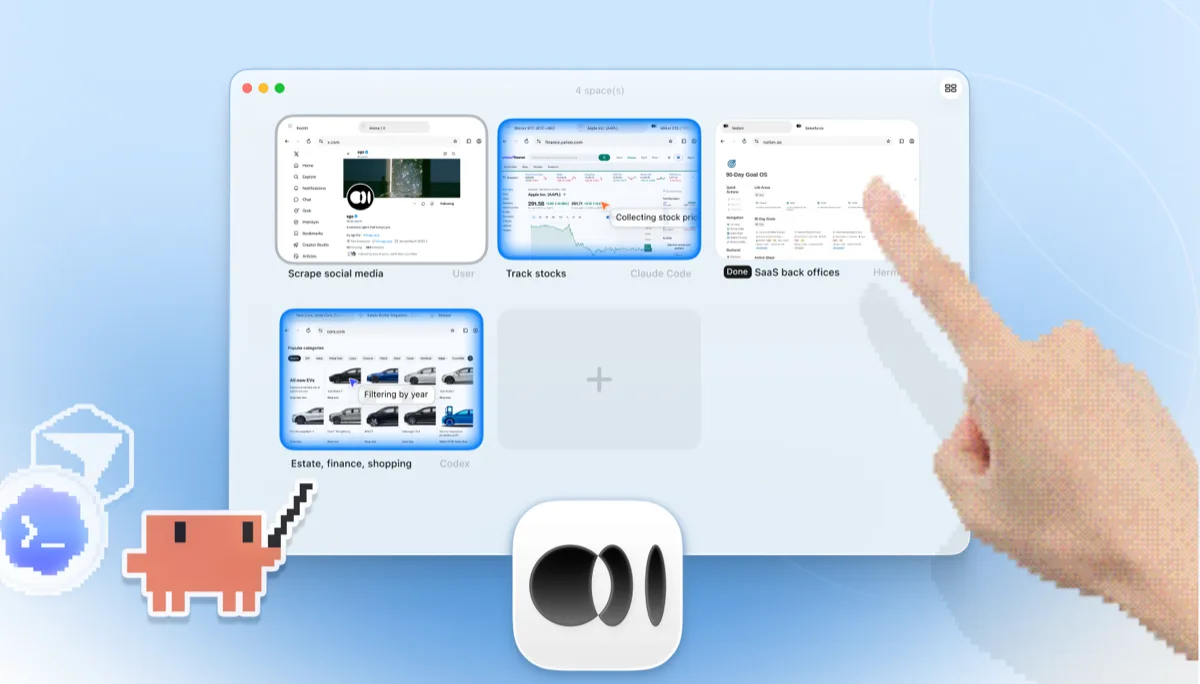
    ego lite Spaces overview with four browser tasks running side by side: Claude Code tracking Apple stock on Yahoo Finance, Codex filtering cars by year on cars.com, Hermes finishing a SaaS back-office task, a user scraping X, and a hand tapping + to open another Space

    Hand the agent a task you'd normally write a script for, like pulling numbers from a logged-in dashboard or walking a checkout flow, described in a sentence.

Keep Playwright for deterministic end-to-end suites in CI. ego lite covers the interactive agent side; the two don't compete for that job.

When to use each tool

Choose ego (lite) when

  • The work lives behind your logins: dashboards, admin panels, SSO, and scripting storageState isn't worth it.
  • You'd rather describe the task to Claude Code, Codex, or Cursor than scaffold a test project and maintain locators.
  • You want several flows checked in parallel Spaces while you keep browsing in the same browser.
  • You care about per-task token cost: Snapshot input plus batched JavaScript, stacked, keeps whole tasks cheap.

Choose Playwright when

  • You're building committed end-to-end test suites that run deterministically in CI. That's Playwright's core strength.
  • You rely on its test runner, auto-waiting, trace viewer, and codegen, tooling most competitors still lack.
  • You need Firefox and WebKit coverage. ego lite is Chromium only.
  • Your team works across TypeScript, Python, Java, or .NET and wants first-class bindings in each.

Give your agent a real browser

Free, runs on your Mac, imports your Chrome profile in one click. Works with Claude Code, Codex, Cursor, and any CLI agent that writes code.

Still weighing your options? See how Playwright compares with the other tools in the same space.

FAQ

Playwright is Microsoft's open-source automation framework for Chromium, Firefox, and WebKit, with first-class bindings for TypeScript, Python, Java, and .NET. Its test runner, auto-waiting, trace viewer, and CI integration are the strongest in the category, and for committed, deterministic end-to-end test suites it's the tool to beat. Microsoft has also started shipping playwright-cli, a token-conscious companion CLI from the Playwright team for coding agents like Claude Code and Copilot. This page is about the core framework and its scripting and CLI workflows; Playwright MCP, the separate agent-facing MCP server, has its own comparison page. Developers picking an agent-driven approach also weigh Browser Use vs Playwright and Stagehand vs Playwright, since all three show up in most LLM-driven browsing stacks.

For AI-agent-driven browser work, yes: no scripts, real logins, parallel Spaces, making it one of the few Playwright alternatives built specifically for agents rather than more scripting. For committed end-to-end test suites in CI, no. Playwright's test runner, tracing, and cross-browser coverage are genuinely excellent, and you should keep using them. The honest split: Playwright for tests you commit, ego lite for tasks you delegate.

All three are script-first frameworks, whether you search it as playwright vs puppeteer or puppeteer vs playwright. Playwright wins for new test suites: fastest runner, auto-waiting, TS/Python/Java/.NET, all three engines. Puppeteer wins when you're Chrome-only in Node and want a lean DevTools-level API. Selenium wins where the W3C WebDriver standard, broad language bindings, or an existing enterprise Grid matter. ego lite fills a different role: an AI agent does the browsing instead of a script, with no code to maintain and your real logged-in profile already attached.

Selenium vs Playwright comes down to trade-offs on both sides. Playwright: faster execution, built-in auto-waiting, a modern test runner, and tooling like trace viewer and codegen; the trade-off is a younger ecosystem. Selenium: the W3C WebDriver standard, the widest language and legacy-browser coverage, and two decades of enterprise adoption; the trade-off is more verbose code and more explicit wait management. If you're choosing a test framework today, most teams pick Playwright. If the work is agent-driven rather than scripted, see how ego lite compares to Selenium on our Selenium page.

Both wrap a fresh Playwright browser for agent use, and both still run one command per action in a blank profile: Playwright MCP as MCP tool calls, playwright-cli as CLI invocations. ego lite instead batches multiple actions in JavaScript per turn, reads pages as compressed Snapshots, and starts from your real logged-in Chrome profile, so per-task token cost stays low and whole tasks finish faster. Full breakdown on the ego lite vs Playwright MCP page.

Partially. You can save storageState after a scripted login, or launch a persistent context pointed at a Chrome profile directory, but sessions expire, 2FA and SSO interrupt scripted logins, and a profile can't be shared with a running Chrome. ego lite imports your profile once, and the agent inherits real login state from then on.

Yes. Free, no subscription, data stored locally. The ego-browser shell your agent connects through is MIT-licensed open source.