





ego (lite) 只是一個瀏覽器,ego 則是你跨裝置的個人 Agent。
加入候補名單
ego lite vs Playwright MCP

The Best Playwright MCP Alternative

Playwright MCP is Microsoft's MCP server for browser automation: it exposes navigate, click, and snapshot as MCP tools, so any MCP-capable agent can control a browser without writing test scripts.

ego lite drives your real Chrome directly, batching multiple actions into one JavaScript call instead of one MCP tool call per step, finishing whole tasks 3 to 4x faster than Playwright MCP.

Trusted by developers from
GoogleAmazonShopifyTikTokHarvardStanfordUSCUCLA

Why ego lite is better than Playwright MCP

If you've already added Playwright MCP to Claude Code or Codex, you know the loop: snapshot, click, wait, snapshot again. Every step is a round-trip through the model. ego lite replaces that loop with an agent-native browser that your coding agent controls through the open-source ego-browser shell.

3 to 4x faster on real tasks

Playwright MCP re-reads the page through a tool call at every step, and the browser sits idle while the model thinks.

In ego lite, every page reaches your agent as a Snapshot: a compressed accessibility tree with stable @N refs it can act on instantly. The agent spends its time doing the task, not parsing pages, finishing whole tasks 3 to 4x faster than Playwright MCP.

Time to finish a task, shorter is better
81.8 sego lite
282.9 sagent browser
Data source - Task: scrape the main posts from the X account from the last 7 days
Parallel multitasking, execute faster

One Playwright MCP server drives one browser session, so parallel work means juggling multiple server configs.

In ego lite there's no cap on how many Spaces you open inside the same browser: each one runs its own task at the same time, driven by the same agent or a different one, on its own imported Chrome profile. None of them ever steals the tab you're using, and you can watch or take over any Space anytime.

No more back and forth Cost fewer tokens

Every Playwright MCP action is a separate tool round-trip that re-sends context through the model.

Your agent in ego lite batches several actions in a few lines of JavaScript per turn. Stacked with Snapshot input, the same task completes on far fewer tokens overall.

Claude Code · ego lite
>/ego-browser Add the first product to the cart, then check checkout loads
Bash(
ego-browser nodejs <<'EOF' await openOrReuseTab('localhost:3000') await click('.product-card') await click('.add-to-cart') await click('a[href="/checkout"]') cliLog('checkout loaded') EOF
)
Output:
[t=4480ms] checkout loaded
Done. Both steps work.
─── 1 tool call · 1.1k tokens ───
Claude Code · Playwright MCP
>Add the first product to the cart, then check checkout loads
playwright - browser_navigate (MCP)(url: "localhost:3000")
Page Snapshot
… +224 lines (ctrl+o to expand)
1.6k tokens sent so far
Storefront rendered. Opening the first product.
playwright - browser_click (MCP)(ref: "e18")
Page Snapshot
… +198 lines (ctrl+o to expand)
3.1k tokens sent so far
Product page is up. Now the Add to cart button.
playwright - browser_click (MCP)(ref: "e42")
Page Snapshot
… +205 lines (ctrl+o to expand)
4.9k tokens sent so far
Added. Heading to checkout.
playwright - browser_navigate (MCP)(url: "localhost:3000/checkout")
Page Snapshot
… +231 lines (ctrl+o to expand)
6.8k tokens sent so far
Refs are stale after the navigation. Taking a fresh snapshot.
playwright - browser_snapshot (MCP)
Page Snapshot
… +238 lines (ctrl+o to expand)
9.2k tokens sent so far
Now waiting for the payment form to render.
playwright - browser_wait_for (MCP)(text: "Payment")
Page Snapshot
… +229 lines (ctrl+o to expand)
11.2k tokens sent so far
Confirming the form is actually there.
playwright - browser_evaluate (MCP)(expression: "!!document.querySelector('form#payment')")
Page Snapshot
… +25 lines (ctrl+o to expand)
13.6k tokens sent so far
─── 7 tool calls · 13.6k tokens ───
The same task, the same model. Left: one batched JavaScript call in ego lite, 1.1k tokens total. Right: Playwright MCP, 7 round trips, tokens climb to 13.6k.

Same Chrome, agent-native

The Playwright MCP server launches a blank browser that gets stuck at SSO, 2FA, and captchas.

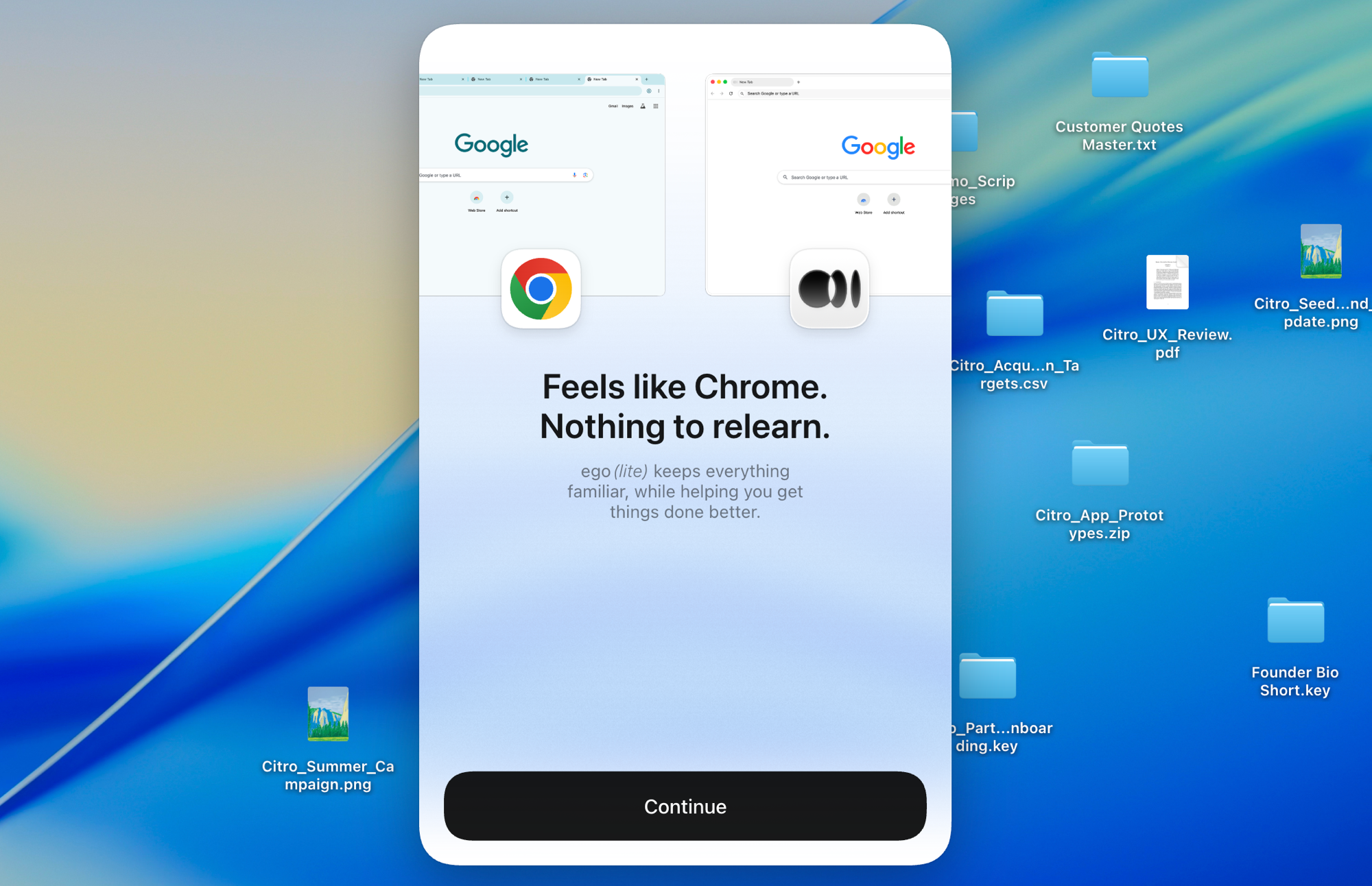
Built on Chromium, ego lite imports your entire Chrome setup in one click. It works just like Chrome, so your browsing habits don't need to change at all. Use it as your default browser, and your AI agents will never get stuck on captchas, 2FA, and SSO redirects.

ego lite Chrome profile import: one-click setup with all your logins

ego lite vs Playwright MCP

Feature comparison between ego lite and Playwright MCP.
Featureego litePlaywright MCP
How the agent acts on a pageWrites JavaScript that batches multiple actions per turnOne MCP tool call per action, round-trip through the model each time
Token cost per taskLower: Snapshot input plus batched actions, measured per taskHigher: every step re-sends context through the MCP loop
Reuses your real Chrome loginsYes, one-click Chrome profile import (cookies, sessions, extensions)No. Launches a fresh browser; auth needs manual setup per site
SetupInstall the app, run /ego-browser in your agentAdd Playwright MCP to Claude Code or Codex in each agent's MCP config, then manage the server lifecycle
Parallel task isolationYes, Spaces run tasks side by side in one browserOne session per server; parallelism means multiple server instances
Doubles as your daily browserYes. You browse in your Space, agents work in theirsNo, automation-only browser instance
Reusable skills (coming soon)Distills successful runs into reusable skills; up to 5x faster on complex tasks as the agent repeats them (limited beta)No built-in equivalent
PriceFree, no subscriptionFree, open source
Last updated Jul 28, 2026

Make it a seamless transition

Already have Playwright MCP wired into Claude Code or Codex? Switching takes a few minutes, and you don't have to remove anything.

  1. Download ego (lite)

    Download ego lite and import your Chrome profile in one click. Logins, cookies, and extensions come with it.

  2. Run your first task with /ego-browser

    Paste into your agent

    /ego-browser Open ego.app and check the page for console errors

    Paste one sentence into Claude Code, Codex, or Cursor and hit enter. No MCP server config, no JSON edits, no test script.

  3. Watch it work
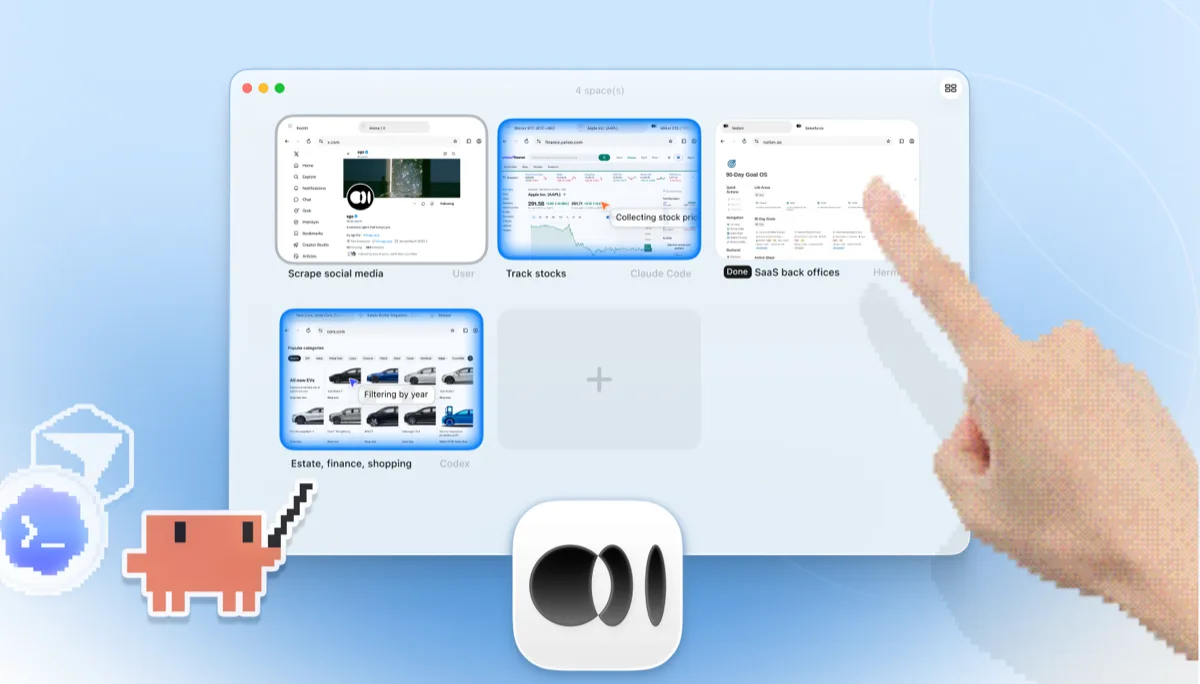
    ego lite Spaces overview with four browser tasks running side by side: Claude Code tracking Apple stock on Yahoo Finance, Codex filtering cars by year on cars.com, Hermes finishing a SaaS back-office task, a user scraping X, and a hand tapping + to open another Space

    The task runs in its own Space, so your tabs stay untouched. The browser window is real: watch live or take over anytime. Results land back in your agent's CLI.

Keep Playwright MCP for CI test suites if you like. ego lite replaces the interactive agent-browsing loop, not your committed Playwright tests.

When to use each tool

Choose ego (lite) when

  • Your tasks touch logged-in sites: dashboards, back offices, anything behind SSO or 2FA.
  • You want lower per-task token bills. Snapshot input plus batched JavaScript beats one tool call per action.
  • You want tasks running in parallel Spaces while you keep using the same browser.
  • You'd rather skip MCP server configs entirely: install the app, run /ego-browser, done.

Choose Playwright MCP when

  • You're already deep in the MCP ecosystem and want one standard protocol across many tools.
  • Your automation runs headless in CI or on a remote server where a desktop browser isn't available.
  • You need Firefox or WebKit coverage. ego lite is Chromium only.
  • You're generating committed Playwright test code and want the agent speaking the same API.

Give your agent a real browser

Free, runs on your Mac, imports your Chrome profile in one click. Works with Claude Code, Codex, Cursor, and any CLI agent that writes code.

Still weighing your options? See how Playwright MCP compares with the other tools in the same space.

FAQ

Playwright MCP is Microsoft's official MCP server for the Playwright automation framework, published as playwright-mcp (you'll also see it written mcp-playwright or playwright-mcp-server). It exposes browser actions (navigate, click, type, snapshot) as MCP tools, so any MCP-capable agent can operate a browser without writing test scripts. It reads pages as accessibility-tree snapshots rather than screenshots, and ships a Chrome extension, the Playwright MCP bridge, for attaching the server to a tab in your running Chrome. It's the default answer to "how do I give my coding agent a browser": well-maintained, free, and backed by the Playwright team.

Yes, for agent-driven browsing. Playwright MCP is a thin MCP bridge over a fresh Playwright browser; ego lite is a full agent browser: real Chrome profile, parallel Spaces, and batched JavaScript execution that cuts per-task tokens. If your goal is committed, repeatable test scripts in CI, plain Playwright is still the right tool. See our ego lite vs Playwright page for that comparison.

The usual route is to add Playwright MCP to Claude Code with claude mcp add, then keep the Playwright MCP server running. The shorter route: install ego lite and run /ego-browser inside Claude Code. The agent gets Snapshot access to pages and can execute JavaScript in the browser, with no MCP server configuration and no config edits.

Both do. Codex supports MCP servers, so a Playwright MCP Codex setup works, with the same one-tool-call-per-action loop and blank profile. ego lite plugs into Codex the same way it plugs into Claude Code and Cursor: run /ego-browser, and the agent drives your real logged-in browser. Gemini CLI, Opencode, and custom in-house agents work too.

The official Chrome extension bridges the Playwright MCP server to a tab in your running Chrome, so the agent can reuse that tab's login state. It fixes the blank-profile problem for one tab, but the loop is unchanged (one MCP tool call per action) and there's no isolation: the agent works in the same window you're using. ego lite gives the agent your full profile and its own Spaces, so tasks run in parallel without touching your tabs.

Each browser action is a separate MCP tool call, and the model processes the result of every call before making the next one. Long tasks become long chains of round-trips, each carrying context. ego lite reduces the round-trips themselves: the agent batches several actions in one JavaScript execution and reads pages as compressed Snapshots, so the savings compound over a whole task.

Not out of the box, because it launches an isolated browser. You can point it at a persistent profile or a CDP endpoint with manual configuration, but sessions still break on SSO and 2FA. ego lite imports your Chrome profile once, and the agent inherits real login state everywhere.

Yes. ego lite is free with no subscription, and the ego-browser shell is MIT-licensed open source.